1
Table of Contents
Table of Contents
Section 1: Getting Started ................................. 9
Activating Your Phone ....................................................10
Setting Up Your Voice Mail .............................................12
Understanding this User Manual .....................................13
Section 2: Understanding Your Phone ............ 15
Features of Your Phone ..................................................16
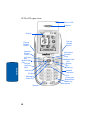
Front View of Your Phone ...............................................17
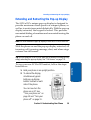
Extending and Retracting the Pop-up Display .................19
Internal Antenna .............................................................20
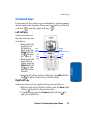
Command Keys ..............................................................21
Understanding the Display Screen ..................................24
Battery ...........................................................................28
Section 3: Call Functions ................................. 31
Making a Call .................................................................32
International Calls ..........................................................32
Receiving a Call .............................................................33
Adjusting the Call Volume ...............................................34
Call Logs ........................................................................34
Phone Modes .................................................................38
Roaming ........................................................................41
Voice Dialing ..................................................................42
Section 4: Menu Navigation ............................ 49
Menu Navigation ............................................................50
Menu Outline .................................................................53
Section 5: Entering Text .................................. 61
Changing the Text Entry Mode ........................................62
Using T9 Mode ...............................................................64
Entering Text in ABC Mode .............................................66
Entering Symbols ...........................................................66
Table of Contents
5