1
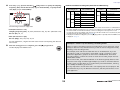
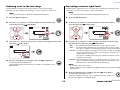
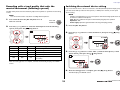
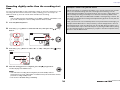
Contents
Contents
Functions Useful for Musical Instrument Practice .................. 24
Using the Reference Manual ............................................................................. 1
Using the tuner............................................................................................... 24
Using the metronome..................................................................................... 25
Adjusting the playback speed ......................................................................... 26
Features..................................................................................... 3
Handling Audio Files ............................................................... 27
Folder structure ..............................................................................................
About the limitations of files and folders .........................................................
About the file naming rules.............................................................................
About the file format ......................................................................................
Copying files...................................................................................................
Dividing a file .................................................................................................
File names after division..................................................................................
Deleting files...................................................................................................
File names after deleting .................................................................................
Moving a file ..................................................................................................
File names after moving..................................................................................
File naming rules for dividing, deleting or moving a file ..................................
Connecting a computer to the PR7 and transferring a file ...............................
Moving files from one folder to another inside the MUSIC folder ....................
Downloading software....................................................................................
List of Functions........................................................................ 3
Controls and Functions ............................................................. 4
Understanding the Information on the LCD Screen................. 6
Preparing the PR7..................................................................... 7
Inserting a battery and a microSD card (sold separately) ................................... 7
Turning the power on or off ............................................................................. 7
Setting the calendar.......................................................................................... 7
HOME screen ............................................................................. 8
Basic Operation......................................................................... 9
Recording/stopping/playing back/setting the recording and playback levels ..... 9
Selecting the save destination for a recorded file............................................. 10
Changing the recording format (sound quality) .............................................. 11
Adjusting the playback speed.......................................................................... 13
Fast forward and fast reverse........................................................................... 13
Pausing during playback or recording ............................................................. 13
Selecting the next or previous file ................................................................... 13
Reducing noise in the low range ..................................................................... 14
Preventing excessive input levels..................................................................... 14
Recording with a tonal quality that suits the musical instrument
(Selecting a preset) ......................................................................................... 15
Switching the external device setting.............................................................. 15
Recording slightly earlier than the recording start time ................................... 16
27
27
27
27
28
29
29
30
30
31
31
32
32
34
34
Other Functions ....................................................................... 35
Using the system setting menu .......................................................................
Accessing the system setting menu.................................................................
Setting the calendar........................................................................................
Initializing all parameters to factory default settings ........................................
Formatting (Initializing) the built-in memory and a microSD card ...................
Switching the REC LED on or off .....................................................................
Switching the tuner’s pitch indication.............................................................
Displaying the firmware version ......................................................................
35
35
35
36
36
37
38
38
Error Messages ........................................................................ 38
Markers ................................................................................... 17
Specifications .......................................................................... 39
Marker mode screen .......................................................................................
Adding a marker .............................................................................................
Jumping to a marked position.........................................................................
Deleting a marker ...........................................................................................
Repeat playback between the markers ............................................................
Index........................................................................................ 40
17
17
18
18
18
Overdubbing (Layered Recordings)........................................ 20
Overdubbing mode screen ............................................................................. 20
Overdubbing .................................................................................................. 20
* Illustrations and screens that appear in this manual are intended to help explain various
operations. Therefore, they may differ slightly from actual specifications.
2
Reference Manual