1
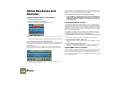
If Latency Compensation isn’t enough
About Tempo Changes
There might be situations where you can’t compensate enough in Reason to
make two software applications run in sync. This might especially be true if the
other application is an audio sequencer, that is if it can record and playback both
audio and MIDI.
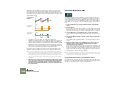
Again, due to the latency phenomenon, Reason needs a bit of time to adjust to
changes in tempo. If there are abrupt changes in the MIDI Clock, due to drastic
tempo changes in the master, you will note that Reason will require up to one
measure to adjust itself to the change. How long this actually takes also depends on the precision of the incoming MIDI Clock. The more precise it is, the
faster Reason can adjust to it.
This problem is an indication of the fact that the other application has not been
set up properly and that its audio playback is not in sync with its own MIDI playback.
!
This is not something that you can or should compensate for in
Reason. Instead, follow the instruction included with the other application to make sure its MIDI playback and audio playback are
correctly locked to each other.
If this adjustment is a problem, try to use gradual tempo changes rather than immediate ones.
!
When Reason is synchronized to MIDI Clock, there is no Tempo
readout.
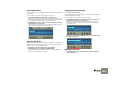
About the beginning of the Song
Due to the latency phenomenon, described on page 282, Reason needs some
time to correct it’s playback speed when it first receives the Start command.
This can be noted as a small glitch in the audio playback, when the program
starts. If this is a problem, you need to insert a couple of empty measures at the
beginning of the Song. Proceed as follows:
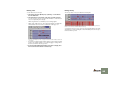
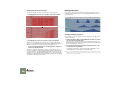
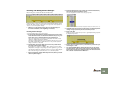
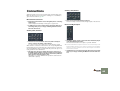
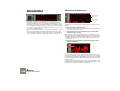
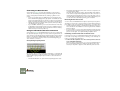
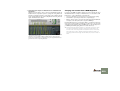
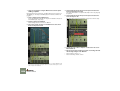
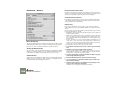
1. Set the Left Locator to “1 1 1” and the right Locator to “3 1 1“.
2. Click somewhere in the main sequencer area to move the menu focus to the sequencer.
3. Select “Insert Bars Between Locators” from the Edit menu.
4. Set up the other device/application, so that it also plays two empty
bars at the beginning.
About MIDI Song Position Pointers
MIDI Clock actually consists of five type of messages: The actual clock (the metronome that establishes the tempo), Start, Stop and Continue commands and
Song Position Pointers. This last type of message contains information about
positions, so that a program for example “knows” where in a Song to start playback from.
Normally, this ensures that you can locate to any position and activate playback
from there. In older devices, Song Position Pointers might not be implemented.
This means that you will be able to synchronize properly only if you start both devices from the absolute beginning of the song.
SYNCHRONIZATION
63