1
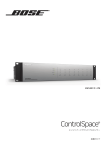
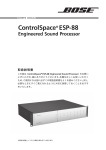
Bose® ControlSpace™ ESP-88 Quick Start Guide
Quick Start Guide
Step 5 Connect your PC to the ESP-88 using the
included Ethernet crossover cable.
Plug in and power on
the ESP-88.
See page 7 for more
information
Step 6 Launch ControlSpace Designer™ software.
Choose System > Update Firmware. Make sure
that the firmware is up-to-date.
To update the ESP-88
firmware, press the
Update button in the
Update Firmware
window. You will be
prompted to reboot the
ESP-88 after the
update.
See page 8 for more
information.
If you receive an error
when you launch
ControlSpace Designer
software, see
troubleshooting items 1
and 2.
Step 7 Press the Scan button.
After pressing Scan,
the ESP-88 appears in
Project View.
If you receive an error
after pressing Scan,
see troubleshooting
item 11.
After a successful scan, you are ready to start designing your ControlSpace ESP88 system.
-3-