1
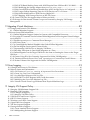
Table of Contents
About This Document.......................................................................................................11
Intended Audience................................................................................................................................11
New and Changed Information in This Edition...................................................................................11
Typographic Conventions.....................................................................................................................11
Document Organization.......................................................................................................................12
Related Information..............................................................................................................................12
Publishing History................................................................................................................................12
HP Insight Remote Support..................................................................................................................14
HP Encourages Your Comments..........................................................................................................14
1 Introduction...................................................................................................................15
1.1 New Features and Enhancements in This Version of Integrity VM...............................................16
1.2 Guest and VM Host Support...........................................................................................................16
1.3 Guest Management Software..........................................................................................................17
2 Installation Notes.........................................................................................................19
2.1 Installing Integrity VM....................................................................................................................19
2.2 Changes and Issues in This Release................................................................................................19
2.2.1 Stop Guests Before Installing PHSS_41411 Patch...................................................................19
2.3 Known Issues and Information.......................................................................................................19
2.3.1 After Installation, Integrity VM Might Hang Upon Reboot...................................................20
2.3.2 Unable to Communicate with the FSS Agents Messages in /var/opt/hpvm/common/
command.log ................................................................................................................................20
2.3.3 Compatibility of Insight Dynamics - VSE V6.0 with Integrity VM V4.2.5.............................20
2.3.4 Warning Messages That Can be Ignored................................................................................20
2.3.5 Software Failures on VM Host Due to Use of Large base_pagesize Tunable.........................20
2.3.6 HP-UX Installation and Update Failures When Using Physical Installation Media..............20
2.3.7 After Upgrading to 11i v3, Guests Cannot Start Due to Missing USB DVD Backing
Device..............................................................................................................................................21
2.3.8 HPVM-Guest Bundle on HP-UX Guests No Longer Reduces Value of dma32_pool_size.......22
2.3.9 Clicking Veritas Enterprise Administrator Link on the System Management Homepage
Might Result in VEA Abort and Core Dump..................................................................................22
2.3.10 Failures in Key Applications.................................................................................................23
2.3.11 Installing the Migration Tools Including hpvmmigrate and Physical-to-Virtual Assist
Tools.................................................................................................................................................23
2.3.12 Limitations When using HP Integrity Virtual Machines Manager with Integrity VM
V4.2.5...............................................................................................................................................23
2.3.13 Installing the HP Integrity Virtual Machines Product Over the Evaluation Software.........24
2.3.14 Do Not Install Applications on the VM Host System...........................................................24
2.3.15 Do Not Install Integrity VM on a Virtual Partition...............................................................26
2.3.16 Do Not Install Windows as Alternate Boot on a VM Host System.......................................26
2.3.17 Trunking Software.................................................................................................................26
2.3.18 Warning During Startup if HP SIM is Installed....................................................................26
2.3.19 Patch PHSS_41543 Must be Installed Prior to Guest Activation...........................................26
2.4 HP-UX Patches Required in the VM Host.......................................................................................27
2.5 Patches Required in the HP-UX Guest............................................................................................32
2.6 Patches Required for Ignite/UX Servers..........................................................................................35
2.7 Patches Required for Windows Guests...........................................................................................35
2.8 Patches Required for Red Hat Linux Guests...................................................................................36
Table of Contents
3