1
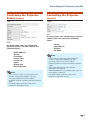
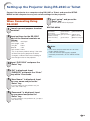
Controlling the Projector via LAN
Setting Error Items and
Destination Addresses to
which E-mail is to be Sent
when an Error Occurs
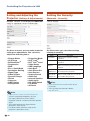
Setting Error Items and the
URL that are to be
Displayed when an Error
Occurs (Service & Support –
(Mail – Recipient Settings)
Access URL)
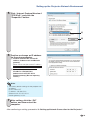
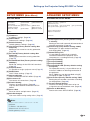
On this screen, you can input e-mail
destinations to which error notification
(error items) e-mails are sent.
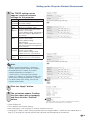
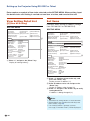
On this screen, you can make settings of
the URL and error items that are to be
displayed when the projector has
generated an error.
Items
E-mail
Address
Description
Set addresses to which error
notification e-mail is sent. You can set
up to five addresses.
Error e-mail is sent on the error items
Error Mail
(Lamp, Temp, checked in their check boxes.
Fan,Cover)
Test
Send test e-mail. This allows you to
confirm that the settings for e-mail
transmission are properly set.
Note
• E-mail Address can be up to 64 characters.
• You can input the characters below:
a-z, A-Z, 0-9, !, #, $, %, &, *, +, -, /, =, ?, ^, {, |, },
~, _, ', ., @, `
(You can input “@” only one time.)
• For details about error items, refer to the
projector's operation manual.
-20
Items
Description
Access URL
Set the URL that is to be displayed
when an error occurs. You can set up
to five addresses.
Condition
(Always,
Lamp, Temp,
Fan,Cover)
The URL is displayed when an error
checked in their check boxes occurs.
Test
The set URL site is test-displayed. This
allows you to confirm that the URL site
is properly displayed.
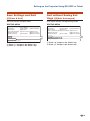
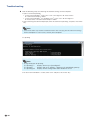
Example of the display when an error
occurs