1
ADOBE FLEX 3 133
Building and Deploying Adobe Flex 3 Applications
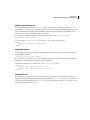
Using abbreviated option names
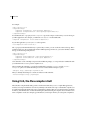
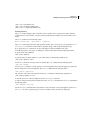
In some cases, the command-line help shows an option with dot-notation syntax; for example, source-path is
shown as compiler.source-path. This notation indicates how you would set this option in a configuration file.
On the command line, you can specify the option with only the final node, source-path, as long as that node is
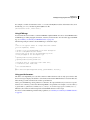
unique, as the following example shows:
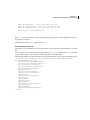
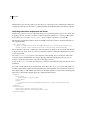
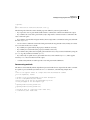
mxmlc -source-path . c:/myclasses/ -- foo.mxml
For more information about using configuration files to store command-line options, see “About configuration
files” on page 134.
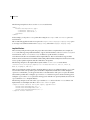
Some compiler options have aliases. Aliases provide shortened variations of the option name to make command
lines more readable and less verbose. For example, the alias for the output option is o. You can view a list of
options by their aliases by using the following command:
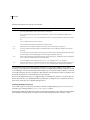
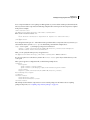
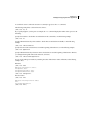
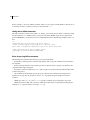
mxmlc -help list aliases
or
mxmlc -help list advanced aliases
You can also see the aliases in the verbose help output by using the following command:
mxmlc -help list details
Invoking the command-line compilers with Java
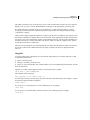
Flex provides a simple interface to the command-line compilers. For UNIX users, there is a shell script. For
Windows users, there is an executable file. These files are located in the bin directory. You can also invoke the
compilers using Java. This lets you integrate the compilers into Java-based projects (such as Ant) or other utilities.
The shell scripts and executable files for the command-line compilers wrap calls to the mxmlc.jar and compc.jar
JAR files. To invoke the compilers from Java, you call the JAR files directly. For Flex SDK, the JAR files are located
in the flex_install_dir/lib directory. For Flex Builder, they are located in the
flex_builder_install_dir/sdks/sdk_version/lib.
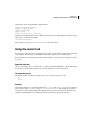
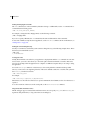
To invoke a command in a JAR file, use the java command from the command line and specify the JAR file you
want to execute with the jar option. You must also specify the value of the +flexlib option. This advanced
option lets you set the root directory that is used by the compiler to locate the flex-config.xml file, among other
files. You typically point it to your frameworks directory. From there, the compiler can detect the location of other
configuration files.
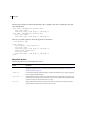
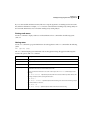
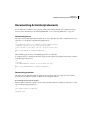
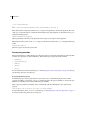
The following example compiles MyApp.mxml into a SWF file using the JAR file to invoke the mxmlc compiler:
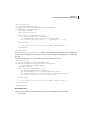
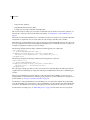
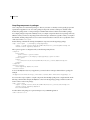
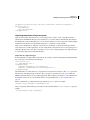
java -jar ../lib/mxmlc.jar +flexlib c:/flex_3_sdk/frameworks c:/flex3/MyApp.mxml