1
3
Table of Contents
Warranty ..................................................................................................................... 1
Notice to User ............................................................................................................. 2
Publication .................................................................................................................. 2
Table of Contents ........................................................................................................... 3
Table of Figures .............................................................................................................. 4
1. Getting Started ........................................................................................................... 6
Before using the scanner ................................................................................................ 6
Minimum system requirements ....................................................................................... 6
Connecting the scanner .................................................................................................. 6
Installation ...................................................................................................................... 7
Starting the Program ....................................................................................................... 7
Uninstall .......................................................................................................................... 7
2. Introduction................................................................................................................. 8
Magnetic strips ............................................................................................................... 8
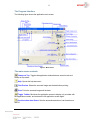
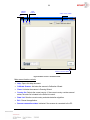
The Program Interface .................................................................................................... 9
The main screen controls................................................................................................ 9
3. Program Operation ................................................................................................... 12
Overview ...................................................................................................................... 12
Scanning modes ........................................................................................................... 13
Scanner support ........................................................................................................ 13
Scanning a new document............................................................................................ 13
ID Data Scanning Mode ............................................................................................ 13
Editing data ............................................................................................................... 14
Custom fields - User defined fields ............................................................................ 14
ID data saving ........................................................................................................... 15
Business card and Check scanning mode ................................................................. 15
General Document Mode .......................................................................................... 16
scanning modes – Document type combination ........................................................ 17
Reading Passports .................................................................................................... 18
Magnetic strips .......................................................................................................... 19
ID Card authentication .................................................................................................. 21
To authenticate a card:.............................................................................................. 21
Understanding the authentication status light ............................................................ 22
What to do when verification fails? ............................................................................ 22
4. Configuring the Program........................................................................................... 23
Automation tab ............................................................................................................. 24
Data Source .............................................................................................................. 24
Scanner button assignment ....................................................................................... 25
Saving options........................................................................................................... 26
Image manual save ................................................................................................... 26
Image auto save........................................................................................................ 26
Driver License images tab ......................................................................................... 27
General document images ........................................................................................ 28
License Text Export tab ................................................................................................ 29
Extract full image....................................................................................................... 30