1
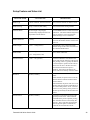
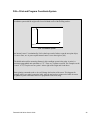
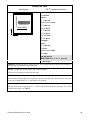
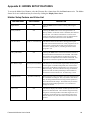
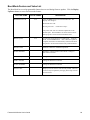
Boot Mode Feature and Value List
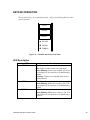
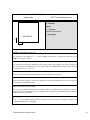
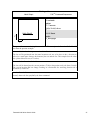
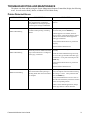
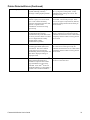
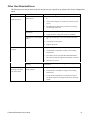
The Boot Mode has several programmable features that are used during firmware updates. Click the Display
Up/Down buttons to access the Boot mode features.
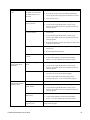
FEATURE NAME
Download New F/W
VALUE RANGE
N/A
DESCRIPTION
Click the Enter button to start download mode. The
display will change to:
Download New F/W
Waiting For Data / <CANCEL to Stop>
The printer will wait on a firmware update file on the
Parallel ports. The FlashWiz Lite section of the FeatureMan program is used to download firmware files.
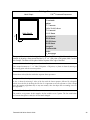
Reboot System
N/A
To exit boot mode and return to normal PALTM firmware
mode, click the Enter button. After a firmware update is
complete, this feature is automatically selected and allows
the printer to be rebooted with the newly loaded firmware.
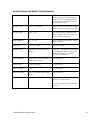
Interface Select
Identical to feature in standard setup mode.
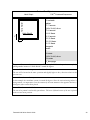
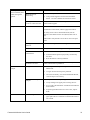
COM1: Baud Rate
Defaults to 57K baud when in boot mode. Change to
match host if needed.
COM1: Parity
Change to match host if needed.
COM1: Data Bits
Change to match host if needed.
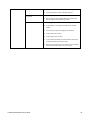
COM1: Handshake
Change to match host if needed.
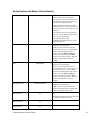
Firmware Rev.
Displays revision of boot code currently loaded. The boot
code can only be updated by changing Flash chips located
on main board.
Fastmark 600 Series User's Guide
89