1
LW Reference.bk Page 249 Monday, December 15, 2003 5:59 PM
[Libraries] Section
249
Undo Levels
The UNDO keyword indicates the number of levels of Undo which should
be maintained. A value of zero means that there is no Undo. The format of
this command is:
UNDO = n
Fine-Tuning Pin Number Text Display
The PINTEXT keyword allows you to adjust the display position of pin
numbers on devices. The format of this keyword is as follows:
PINTEXT = dth dtv
. . . where dth defines a horizontal offset for the pin-number text, and dtv
defines a vertical offset. Both offsets are measured in pixels at Normal Size
screen magnification. (See the section above, Breakout Parameters: the
BREAKOUT keyword takes the same parameters.) All devices in the
design will be equally affected.
IMPORTANT:
This adjustment should not be required in normal use and should always be used
with caution. No checking is done on the range of these settings.
Changing these numbers in the .ini file will not automatically recalculate the
positions of pin numbers in existing designs. You can force a recalculate by using the
Design Preferences command to change the pin text font or size, then change it back
to the original setting.
[Libraries] Section
Specifying Libraries to Open at Startup
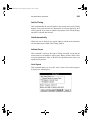
Library Folder
FOLDER = directory_path