1
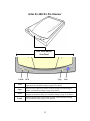
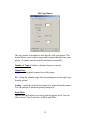
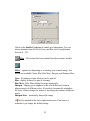
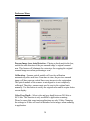
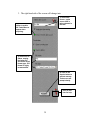
Cancel: cancel actions.
Help: show help documents.
Scan: scan image to destinations.
Pre-scan: pre-scan image to the preview window.
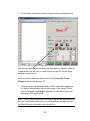
User Reference for resolution settings
Resolution is measured in dots per inch (dpi), which is used to represent
the image detail in a given area. The available resolution ranges for the
scanner is from 50 to 19200 dpi. Generally, the higher the resolution
means the sharper and higher the quality of the scanned image. However,
in some cases, the highest resolution cannot be achieved due to a of
limitation several factors: image type, the original image's resolution, the
output device's resolution (printer in this case), the available memory
space in your hard disks …etc.
Normally you should choose a resolution that matches the resolution of
the output device. The following list is some suggestion:
72 - 100 dpi for CRT Display (monitors)
72 - 216 dpi for 9-pin Dot Matrix Printer
100 - 400 dpi for 25-pin Dot Matrix Printer
100 - 600 dpi for Laser and Inkjet Printer
100 - 400 dpi for Facsimile
Image resolution is also the key for proper setting of the scan resolution:
Types of Image
Recommended Image
Type Selection
Recommended resolution
for scanning
Photograph
Normal/Photo
300 dpi
Small Photograph to be
enlarge
Normal/Photo
300 to 1200 dpi
Magazine
Magazine/Catalog
300 dpi
Newspaper
Normal/Newspaper
300 dpi
Text document (Text only)
Normal (with gray scale
mode selected)
300 to 600 dpi
23