1
Features of the ScanMaker s460
The ScanMaker s460 comes with several important features, including the following:
•
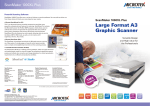
Concise and modern look: With a lustrous coating and new designed format , the
ScanMaker s460 is not only a scanner but also a truly classical deco for your
taste. The extra light weight and slim machine-body makes the ScanMaker s460 fit
to any corners of a room. In addition, it delivers the superior scanned quality as a
top-performed scanner may achieve.
•
Microtek's ColoRescueTM: This color restoration solution restores faded colors in
both photos and film, bringing hues back to their original luster and brilliance for
more vibrant images. ColoRescue's one-click, automatic color recovery process is
simple and straightforward, involving no learning curve or hassle.
•
Five Smart-Touch buttons: These buttons on the button panel of the scanner
provide you with a quick and easy way to launch frequently used scanner
functions. All it takes is one touch of a button — and you can launch the scanner
button’s corresponding function. The five Smart-Touch buttons include Scan,
Copy, E-mail, OCR, and PDF.
• Microtek ScanWizard 5 scanning software: ScanWizard 5 features full scanning
tools that both novice and experienced scanner users will find productive and
easy to use. The Standard Control Panel offers a simple and straightforward way
to complete a scanning session, while the Advanced Control Panel provides you
with additional controls to fine-tune your scans.
•
Optional LightLid 35 Plus II *: This transparency adapter allows you to scan
35mm slides and filmstrips with your scanner.
* The LightLid 35 Plus II is either as a standard equipment or an optional accessory
depending on the scanner configuration that you purchased.
2
ScanMaker s460 Supplement