1
Compatibility of this Manual
This manual should be used with PowerMaxComplete v2.0.00 and above.
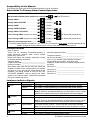
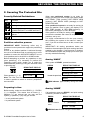
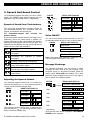
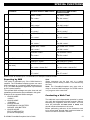
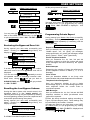
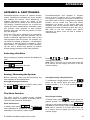
Quick Guide To Primary Alarm Control Operations
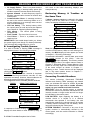
QUICK REFERENCE TO PRIMARY ALARM CONTROL OPERATIONS
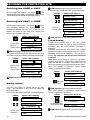
Active Partition Selection (when partition is enabled)
+
[PARTITION NO.]
Arming AWAY .........................................
+ [Code]*
Arming AWAY-INSTANT .........................
+ [Code]* +
Arming HOME .........................................
+ [Code]*
Arming HOME-INSTANT ........................
+ [Code]* +
Arming AWAY-LATCHKEY ....................
+ [Code]* +
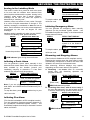
Force Arming AWAY (system not ready)
+ [Code]* +
(to silence the protest buzz)
Force Arming HOME (system not ready)
+ [Code]* +
(to silence the protest buzz)
Disarming and stopping alarms ............
+ [Code]
* The factory default master user code is 1 1 1 1. The code is not required if quick arming has been permitted by the
installer. Change the factory default code to a secret code without delay (see section 7)
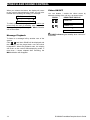
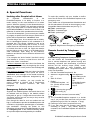
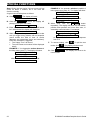
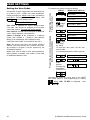
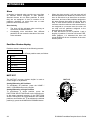
Contact list form
Dear Customer,
Thank you for choosing PowerMaxComplete, a
highly advanced wireless alarm control system
produced by Visonic Ltd.
Please note below the installer's telephone number
to facilitate obtaining assistance.
Company Name: ____________________________
Telephone Number: __________________________
Person to Contact: ___________________________
Also please make sure that you have the name and
telephone number of the central station your system
will report to. If you ever call the central station to ask
questions, you should be able to come up with your
"ACCOUNT NUMBER" used to identify your alarm
system to the central station. Obtain this information
from your installer and write it.
Monitoring Station’s Name _____________________
Telephone Number: __________________________
My Account Number: _________________________
If you or your installer set the system to contact
private telephone numbers, note down the 4
telephone numbers that your installer programmed to
be called:
Phone No. 1: _______________________________
Phone No. 2: _______________________________
Phone No. 3: _______________________________
Phone No. 4: _______________________________
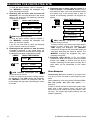
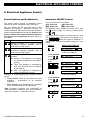
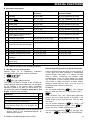
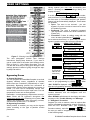
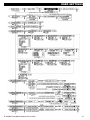
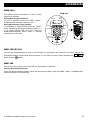
Luminous Indicator Signals
Indicator
(red)
(orange)
(green)
(green)
2
Behavior
Lights steadily
Flashes
No light
Lights steadily
No light
Lights steadily
No light
Lights steadily
No light
Significance
The system / a system partition(s) is in the armed state (AWAY MODE)
The system / a system partition(s) is in the armed state (HOME MODE)
The system is presently in the disarmed state
Note (*): Refers to the selected partition(s). If control panel is set to a single
partition, then operation performed on other partitions will not be displayed.
The system / a system partition(s) (*) is presently in a state of trouble
No trouble - all is well
Note (*): Refers to the selected partition(s). If control panel is set to a single
partition, then operation performed on other partitions will not be displayed.
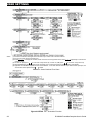
The chime function is active - chime zones will chime when disturbed.
Note: The chime indicator lights steadily when at least one partition is enabled.
The chime function is inactive - chime zones will not chime when disturbed.
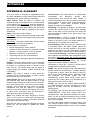
AC power is supplied to the control panel
The system is operating on backup battery power
D-303984 PowerMaxComplete User's Guide