1
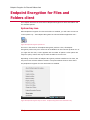
Endpoint Encryption for Files and Folders Policy Settings
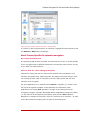
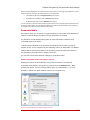
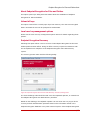
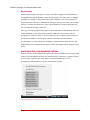
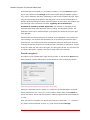
Allow import of user local keys
This option allows users to import keys that have been created with Endpoint
Encryption for Files and Folders by other users, i.e. sharing keys with other users that
have local key management enabled. There are no restrictions to import, i.e. the users
may very well import encryption keys from external users that also are using Endpoint
Encryption for Files and Folders with local user key management. Only user local keys
can be imported, i.e. not encryption keys from external Endpoint Encryption
databases. The key import wizard is described in the document Endpoint Encryption
for Files and Folders User Guide.
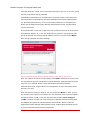
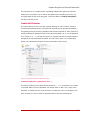
Allow deletion of user local keys
This option allows users to delete local user keys, both locally generated keys and
imported keys. Encryption keys from the Endpoint Encryption central database cannot
be deleted with this option. The key deletion wizard is described in the document
Endpoint Encryption for Files and Folders User Guide.
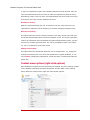
NOTE: Be very careful with allowing users to delete local user encryption keys. If deleted, there is no way to restore that key. For a description of the Endpoint Encryption client tray icon menu entries, please see
the System tray icon section of this document, as well as the Endpoint Encryption for
Files and Folders User Guide.
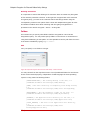
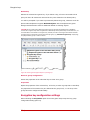
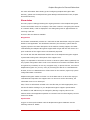
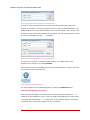
Automatically create user local key
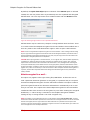
With this option enabled in the user’s policy, the wizard to create a local key will
automatically start on the user’s machine. The encryption key being generated is the
one that is referred to as Default Local Key in the key selection dialogs for e.g. a
folder encryption policy.
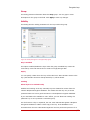
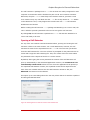
Encryption options
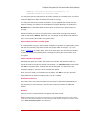
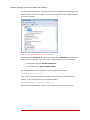
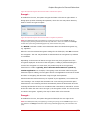
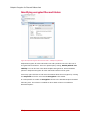
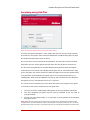
This dialog contains various settings for encryption restrictions and encryption priority.
Changes to most of the parameters in this dialog require the client machine to be
restarted (after having received the policy change) before they take effect (machine
policies).
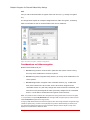
Preserve file times
This setting resets the file time attributes after encryption and decryption. When a file
is encrypted with Endpoint Encryption for Files and Folders, the Last Modified time is
changed. Also, some other time values are changed when a file is encrypted or
decrypted.
44 |