1
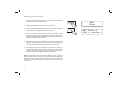
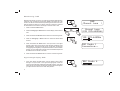
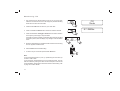
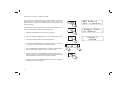
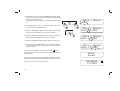
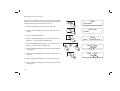
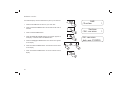
13. Repeatedly press and release the Tuning Up or Down buttons
to choose the day option and then press and release the Select
button to confirm the setting.
•
Alarm 1 Wizard
Once
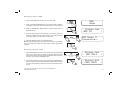
If setting alarms to daily, weekdays or weekends proceed to point
18.
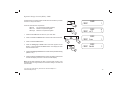
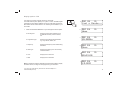
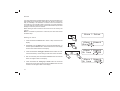
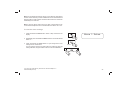
14. If selecting the alarm to once you will need to set the day, month
and year options as described below.
13-17
13-17
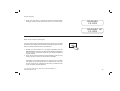
Alarm 1 Wizard
Date 1-5-2012
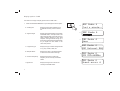
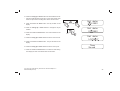
15. Press the Tuning Up or Down button to select the correct day
and then press the Select button to confirm the setting.
13-18
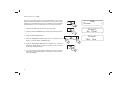
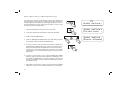
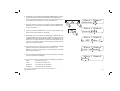
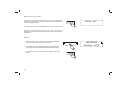
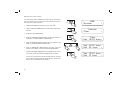
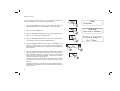
16. Press the Tuning Up or Down button to select the correct month
and then press the Select button to confirm the setting.
Alarm 1 Wizard
Date 1-5-2012
17. Press the Tuning Up or Down button to select the correct year.
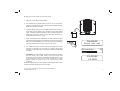
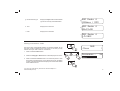
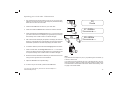
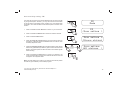
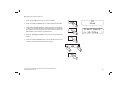
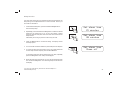
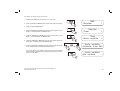
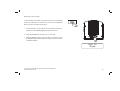
18. Press and release the Select button to confirm the alarm settings.
Your clock radio will show 'Alarm Saved and will exit the alarm
setting procedure.
Active alarms are indicated in the display by the alarm
Alarm 1 Wizard
Date 1-5-2012
symbol.
If the radio cannot connect to the radio station, the buzzer alarm will
be used instead.
Alarm
Saved
The alarm volume will start softly and gradually increase in level every
few seconds. The alarm will sound for up to 90 minutes unless cancelled.
The final volume is set by the volume control.
21
09:30:08
1-5-2012