1
CONTENTS
Page No.
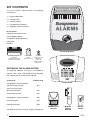
KIT CONTENTS
2
INTRODUCTION AND OVERVIEW
Multiple Users
System Arming
Entry/Exit Delay
Zones
Zone Lockout
Quick Set
Final Exit Set Zone
Walk Through Zone
Omit Zone
Event Log
Chime
Voice Dialler
Remote Manager
Latch-Key
Answer-Phone
Voice Memo
Remote System Control
Tamper Protection
Jamming Detection
Battery Monitoring
System House Code
3
3
3
3
3
4
4
4
4
4
4
4
4
4
5
5
5
5
5
5
5
6
PLANNING AND EXTENDING YOUR
WIREFREE ALARM SYSTEM
7
REMOTE CONTROL UNIT
General Information
Configuring the Remote Control
8
8
9
CONTROL PANEL
Positioning the Control Panel
Installing the Control Panel
Configuring the Control Panel House Code
Testing the Control Panel & Remote Control
PASSIVE INFRA RED (PIR)
MOVEMENT DETECTORS
Positioning the PIR Movement Detectors
Installing and Configuring the PIR
Movement Detectors
Testing the PIR Movement Detectors
9
9
10
11
11
12
12
13
14
MAGNETIC CONTACT DETECTORS
Positioning the Magnetic Contact Detectors
Installing and Configuring the Magnetic
Contact Detector
Testing the Magnetic Contact Detector
14
15
EXTERNAL SOLAR SIREN
General Information
Positioning the Solar Siren
17
17
17
SA5
15
16
Page No.
Installing and Configuring the Solar Siren
Power-up of the Solar Siren
Testing the Solar Siren
17
19
19
EXTERNAL CONNECTIONS
19
TESTING THE SYSTEM
Initial Testing
Testing an Installed System
20
20
20
DEFAULT SETTINGS
Reset Factory Default Conditions
22
22
PROGRAMMING
User Setup
System Setup
Zone Setup
Voice Dialler Setup
Full Arm Setup
Part-Arm 1 Setup
Part-Arm 2 Setup
Time & Date Setup
Latch Key Setup
Answer Phone Setup
Remote manager Setup
23
24
25
28
30
32
33
34
35
35
36
37
OPERATING INSTRUCTIONS
Arming The System
Part-Arming The System: Part-Arm 1
Part-Arming The System: Part-Arm 2
Disarming the System
Quick Set
Omit Zone
Personal Attack (PA) Alarm
Tamper
Chime
Event-Log
Leaving a Voice Memo Message
Replaying and Deleting Messages at the
Control Panel
Remote Phone Access and Control
Siren Service Mode
Siren Operating Mode
Battery Monitoring
38
38
38
38
39
39
39
39
39
39
40
40
MAINTENANCE
43
ALARM RECORD
44
TROUBLE SHOOTING
45
EXTENDING YOUR ALARM SYSTEM
48
COMPONENT SPECIFICATION
40
40
41
42
42
Back Cover
1