1
NAVIGATING THE MENUS
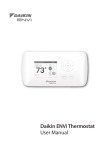
The Daikin ENVi thermostat has an easy-to-read
color screen that displays all the information
you need to configure the thermostat. Use
the navigation buttons on the right to quickly
change the temperature, access features, and
configure settings.
Using the Navigation Buttons
The navigation buttons let you select options
and control the Daikin ENVi thermostat.
OK
▲ (up) On the Home screen, press ▲ to
increase the temperature set point by 1°F
(0.5°C). For menus, press ▲ to move up.
▼ (down) On the Home screen, press ▼ to
decrease the temperature set point by 1°F
(0.5°C). For menus, press ▼ to move down.
◀ (left) On the Home screen, if Auto mode
is enabled, press ◀ to switch between heat
and cool set points. For menus, press ◀ to go
back to the previous screen.
▶ (right) On the Home screen, if Auto mode
is enabled, press ▶ to switch between heat
and cool set points. For menus, press ▶ to
choose the currently highlighted option.
OK On a menu screen, press OK to choose
the currently highlighted option. If a
configuration option is selected, pressing OK
will keep its new value and return back to the
previous screen.
14