1
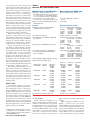
Figure 4 — The rear panel of the K3/100 includes two antenna
connectors, provisions for a transverter, separate receive
antenna or preamp, and various accessory connections.
mode from 0.1, 0.5, 1 kHz through 5, 9 and
10 kHz. The faster settings apply to AM and
FM modes with 9 kHz intended for European
AM broadcasts on 9 kHz spaced channels.
Another menu item sets the steps per rotation
to 100, 200 or 400. I find the 200 step setting
just right, offering 200 Hz, 2 or 10 kHz per
revolution with the 10 Hz RATE and 1 kHz
COARSE setting. The FREQUENCY display
shows the appropriate digits for the resolution selected.
There are 100 memory locations available, selected using the VFO A knob. Ten of
these are selectable with a quick two-button
push and I have these set up for band selection instead of using the BAND up-down bar.
Once on a band, it is possible to have another
two-button sequence move you between your
favorite modes with associated filter and
other settings.
Those Roofing Filters
Many have wondered about the different
roofing filters and how they impact performance so they can decide which to order. In
addition to the 13 kHz filter for FM and 6 kHz
filter for AM and extended SSB, we tested
our unit with 2700 and 500 Hz five-pole and
2800, 1800 and 400 Hz eight-pole filters.
Each receiver is limited to five filters at a
time, and there’s a bit of menu setup involved
when you install or change them.
An FAQ on the Elecraft Web site goes on
to explain that the K3 uses hardware AGC
after the roofing filter and before the DSP.
Signals inside the roofing filter’s bandwidth
will desense the receiver if they exceed about
S9 + 25 dB, and changing to a 400-500 Hz
filter reduces blocking from signals 1 to
5 kHz away.
The ARRL Lab made a number of measurements with the different filters and the results
are shown in the accompanying sidebar.
CW Features
Elecraft’s roots are in the CW only, portable low power (QRP) transceiver market, so
it’s no surprise that there are many features
especially for the CW operator. Perhaps most
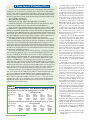
Figure 5 — Interior view of the
K3/100. The 100 W output stage
is shown in the center rear. The
subreceiver occupies the
L shaped enclosure filling the
front portion of the inside of
the radio. Removing the two
knurled nuts and three miniature
coax connections allows
the subreceiver to be easily
removed to add main receiver
roofing filters, for example.
notable is a zero-beat CW tuning indicator.
Push CWT and the upper end of the S-meter
bar on the display becomes a zero-center
tuning meter. It works well, even for surprisingly weak signals. Perhaps even better — if
CWT is on, pushing SPOT automatically zeros
the received signal in your passband. This is
important to take advantage of the razor sharp
selectivity provided. If the received signal is
not exactly centered in the passband, dropping the width to the tightest settings could
make the signal disappear.
An internal memory keyer is provided
with rear panel connections for paddles. A
rear KEY jack is also provided — both are a
convenient 1⁄4 inch size, by the way. I finally
have an easy way to hook up both sides of my
ancient Brown Brothers CTL model combination straight key and paddles. The straight key
is handy for trimming up the tune of my linear,
as well as for ARRL Straight Key Night.
Speaking of linear amplifiers, a menu
choice provides for RF output timing delay.
You can set the timing to accommodate the
switchover delay of your break-in capable
linear. Mine works flawlessly with full breakin. For those using contest software, a menu
selection can set the RS-232 computer connection control leads to key the transmitter
under command of the PC.
The K3 break-in switching is as smooth
and quick as any radio I’ve used. Major CW
controls, including KEYER SPEED, PITCH
and MONITOR LEVEL are front panel rotary
controls, as they should be on a serious CW
radio. The MONITOR LEVEL is independent
of the AF GAIN setting, for which my ears
are grateful.
SSB Features
For those who don’t like being con-
strained by the usual SSB filter bandwidth,
extended SSB (ESSB) is provided, currently
to a 4 kHz width. ESSB requires the optional
6 kHz filter. The K3 provides a single eight
band, ±16 dB/octave audio equalizer contour.
Having one setup for DX and contesting and
a separate setup for ragchewing would seem
like a beneficial addition. A similar, but
separate, equalizer is available for receive.
In this case one per mode might be handy.
Recent firmware has added a noise gate
feature to SSB transmit. This allows you
to set a threshold to eliminate background
noise — especially handy if you are using
compression, or have a noisy amplifier fan,
for example.
The VOX is among the best I’ve used. It
picks up before the first syllable is over, the
ANTIVOX is not fussy and the VOX HOLD delay
is front panel adjustable. A monitor function
is provided, the level setting sharing the front
panel CW MONITOR knob while in voice
modes. This is best used with headphones to
avoid acoustical feedback, but is very handy
for setting up the equalizer, gain, compression, noise gate and other transmit controls.
The front panel MIC connector is the
common round 8-pin type, wired almost to
the Kenwood standard. If you use an electret
mic, the bias connections need adjustment. In
addition, there is a rear panel 1⁄8 inch phone
MIC connector, as well as an 1⁄8 inch phone
LINE IN connector for sound card or other
external sources. The LINE IN GAIN can be
set independently of the MIC GAIN so you
can move between modes without having
to change your gain settings. Menu settings
determine which of the inputs is active.
There is also a rear panel PTT connector
so if you have a Heil headset, for example, it
and a companion foot switch can be plugged
From January 2009 QST © ARRL