1
Starting the recording mode
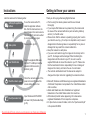
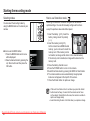
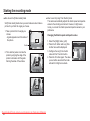
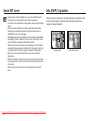
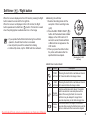
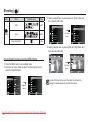
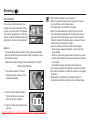
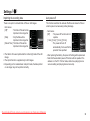
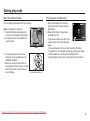
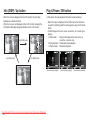
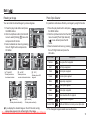
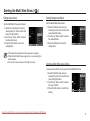
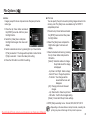
Ŷ How to use the [Frame Guide] mode
Set [Frame Guide] mode when you want someone else to take a
picture for you from the angle you choose.
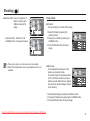
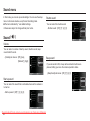
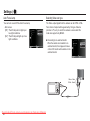
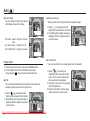
1. Take a picture from the angle you
choose.
- A guide appears round the sides of
the picture.
Guide
Changing the Shutter speed and Aperture value
Cancel Frame: OK
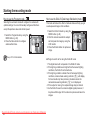
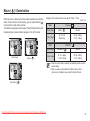
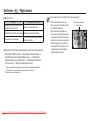
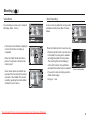
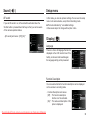
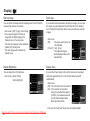
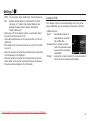
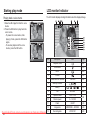
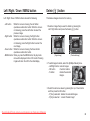
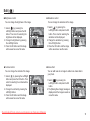
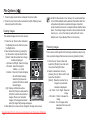
2. Then another person can take the
picture by aligning the edge of the
picture to be taken with the guide
framing the sides of the window.
Cancel Frame: OK
Cancel Frame: OK
Downloaded From camera-usermanual.com Samsung Manuals
24
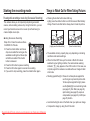
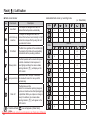
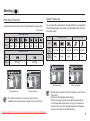
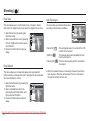
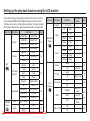
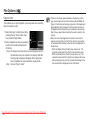
Ŷ How to use the [Long Time Shutter] mode
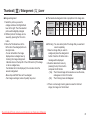
This camera automatically adjusts the shutter speed and aperture
values to the shooting environment. However, in Night scene
mode, you can set the shutter speed and aperture values to your
preference.
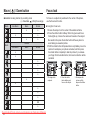
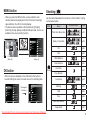
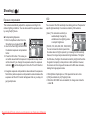
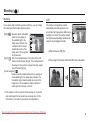
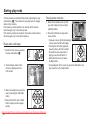
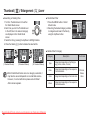
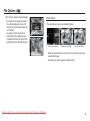
1. Select the [Night] mode. (p.20)
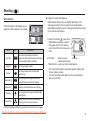
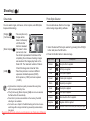
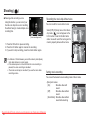
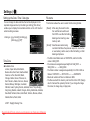
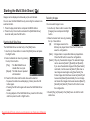
2. Press the Fn button and Long Time
shutter menu will be displayed.
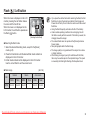
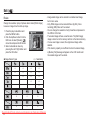
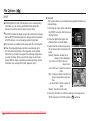
3. Configure the Long Time shutter
value with the 5 function button.
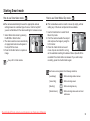
4. Press the Fn button again. The value
you set will be saved and the mode
will switch to Night scene mode.
AUTO
AUTO
Long Time Shutter
Exit
Move