1
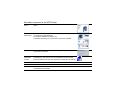
Information resources for the SP75 Printer
SP75 Printer
Guide
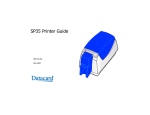
The Printer Guide (this document) contains operating information for the
printer.
SP75 Quick
Install Guide
The Quick Install Guide, packed at the top of the printer carton, shows
you the steps to install the printer.
For detailed installation information, see
e-Guide/SP Series/SP_Info_Central.chm on the driver CD-ROM.
Message Help If you see a message, click Help on the message box. Really! Help topics
are short and to the point.
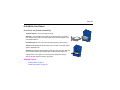
SP Series Info For in-depth information about using the printer, install SP Info Central on
a Windows PC, then click the icon on the desktop. (Insert the Smart
Central and
Driver CD-ROM and choose User Information to install SP Info Central.)
e-Guide
FAQs
Service and Support FAQs at www.datacard.com provide answers to questions about the printer.
Dealer
For help with questions not addressed by other SP Series printer information, contact your dealer.
Customer Care Contact the Datacard Customer Care Center at 1.800.328.3996 (U.S. & Canada) or
1.952.988.2316 (worldwide).