1
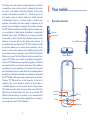
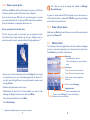
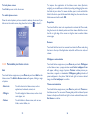
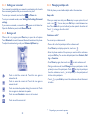
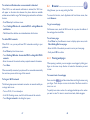
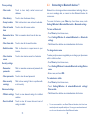
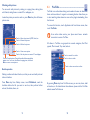
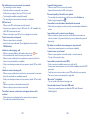
• Pick up/Send a call
• Enter Call Log
• Return to ongoing call screen if the user navigates to other
applications during call.
1.2
Getting started
1.2.1 Set-up
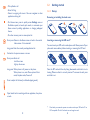
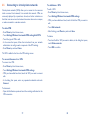
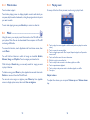
Removing or installing the back cover
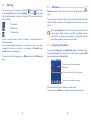
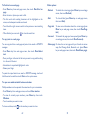
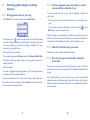
• On Home screen, press to quickly access Settings menu or
Notification panel; to launch quick search; to customize your
Home screen by adding applications or changing wallpaper/
theme.
• On other screens, press to view options list.
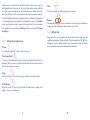
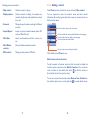
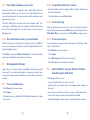
Short press: Return to the Home screen or back to the central
Home screen if it is extended.
Long press: Enter the recently used applications list.
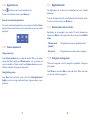
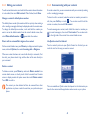
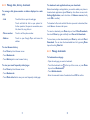
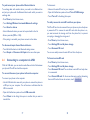
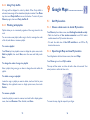
Inserting or removing the SIM card (1)
You must insert your SIM card to make phone calls. Please power off your
phone and remove battery before inserting or removing the SIM card.
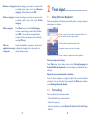
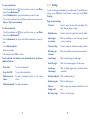
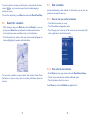
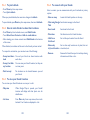
Go back to the previous menu or screen.
Short press: End a call
Lock the screen
Light up the screen
Long press: When phone is off, power on the phone.
When phone is on, enter Phone options: Silent
mode, Airplane mode, Power off.
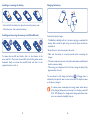
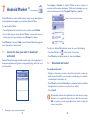
Place the SIM card with the chip facing downwards and slide it into its
housing. Make sure that it is correctly inserted. To remove the card, press
and slide it out.
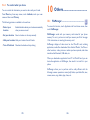
Press to adjust the Volume (in call/media playing mode)
Open Search bar for searching within an application, the phone
or web.
(1)
13
Check with your network operator to make sure that your SIM card is 3V or
1.8V compatible. The old 5 volt cards can no longer be used.
14