1
Table of Contents
Thank You! ...................................................................................................................................... 4
DLI 7200 Peripherals and Accessories ........................................................................................... 4
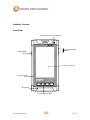
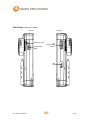
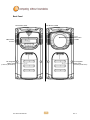
Hardware Overview ......................................................................................................................... 5
Setting Up the DLI 7200 Terminal ................................................................................................... 9
Unpack the Carton and Verify its Contents ..................................................................................... 9
Battery Status LED ........................................................................................................................ 10
Charging the Battery in the DLI 7200 ............................................................................................ 10
Power Management Utility............................................................................................................. 11
Optional Auto Power On & Off Setup ............................................................................................ 11
Adjusting the Backlight .................................................................................................................. 12
Using the Stylus ............................................................................................................................. 13
Using the Programmable Keys ...................................................................................................... 15
Using the WiFi Radio ..................................................................................................................... 18
Using the Bluetooth Radio ............................................................................................................. 21
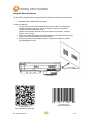
Using the Barcode Scanner ........................................................................................................... 25
3-in-1 Demo Software .................................................................................................................... 26
SAM Card Installation .................................................................................................................... 30
SIM Card Insertion ......................................................................................................................... 31
Using the GPS ............................................................................................................................... 32
DLI 7200 Desktop Cradle .............................................................................................................. 34
Technical Assistance ..................................................................................................................... 37
Product Service and Repair ........................................................................................................... 37
Shipping your DLI Device .............................................................................................................. 38
Limited Warranty............................................................................................................................ 40
Regulatory and Safety Approvals .................................................................................................. 41
FCC Compliance ........................................................................................................................... 43
DLI 7200 Product Manual
3
Rev. 3