1
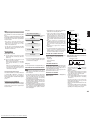
This section must be read before any connection is
made to the mains supply.
WARNINGS
Do not expose the equipment to rain or moisture.
Do not remove the cover from the equipment.
Do not insert anything into the equipment through
the ventilation holes.
Do not handle the mains lead with wet hands.
Do not cover the ventilation with any items such
as tablecloths, newspapers, curtains, etc.
No naked flame sources, such as lighted candles,
should be placed on the equipment.
When disposing of used batteries, please comply
with governmental regulations or environmental
public instruction’s rules that apply in your country
or area.
CE marking
The CD7300 conforms with the EMC directive
and low-voltage directive.
EQUIPMENT MAINS WORKING SETTING
Your Marantz product complies with the household
power and safety requirements in your area.
This product can be powered by 230 V AC only.
COPYRIGHT
Recording and playback of any material may require
consent. For fur ther information refer to the
following:
— Copyright Act 1956
— Dramatic and Musical Performers Act 1958
— Performers Protection Acts 1963 and 1972
— any subsequent statutory enactments and
orders
INTRODUCTION
Thank you for selecting the Marantz CD7300 CD
Player for your A / V system.
This Compact Disc Player incorporates a number of
features designed to enhance the listening of your
favorite audio sources.
Please read these operating instructions carefully.
We recommend that you read the entire user guide
before you attempt to connect or operate the player.
After you have reviewed the contents of this
manual,we suggest that you make all system connections before you attempt to operate the unit.
INSTALLATION
Remember the following important points when installing the player:
• Do not expose the player to rain or moisture, as this
may cause damage to the player.
• All players produce some heat during operation
and this heat must be allowed to disperes freely.
Do not close any ventilation openings and insure
that there is adequate ventilation space behind,
beside and above the player.
• Prevent extra heat from reaching the unit. Never
put the player in the full glare of the sun or near a
heat source.
PRECAUTIONS
The following precautions should be taken when
operating the equipment.
GENERAL PRECAUTIONS
When installing the equipment ensure that:
– the ventilation holes are not covered.
– air is allowed to circulate freely around the equipment.
– it is placed on a vibration-free surface.
– it will not be exposed to excessive heat, cold,
moisture or dust.
– it will not be exposed to direct sunlight.
– it will not be exposed to electrostatic discharges.
In addition, never place heavy objects on the equipment.
If a foreign object or water does enter the equipment,
contact your nearest dealer or service center.
Do not pull out the plug by pulling on the mains lead;
grasp the plug.
It is advisable when leaving the house for an extended period, or during a thunderstorm, to disconnect the equipment from the mains supply.
PRECAUTIONS IN CONNECTION
CONTENTS
BEFORE USING .................................. 2
NOTES ABOUT THE DISCS ......................... 2
INAPPROPRIATE PLACES FOR INSTALLATION .............................................................. 2
ABOUT PLAYING COPY-CONTROLLED CDS ..... 2
DO NOT PLACE OBJECTS ON TOP ............ 2
CAUTIONS ON HANDLING POWER CORD 2
DO NOT ATTEMPT REPAIRS YOURSELF ... 2
PRECAUTIONS ............................................. 2
CAUTIONS ON HANDLING BATTERIES ...... 2
ACCESSORIES ................................... 3
CHECKING THE ACCESSORIES ................. 3
USAGE OF REMOTE CONTROL UNIT ........ 3
FEATURES .......................................... 4
CONNECTIONS ................................... 5
CONNECTING TO AN AMPLIFIER ............... 5
CONNECTING TO A DIGITAL AUDIO
COMPONENT ............................................... 5
NAMES AND FUNCTIONS ................. 6
FRONT PANEL .............................................. 6
DISPLAY ........................................................ 7
REMOTE CONTROL UNIT ............................ 8
REAR PANEL ................................................ 9
ADVANCED OPERATIONS ............... 12
REPEAT PLAY (PLAYING THE SAME
TRACKS REPEATEDLY) ............................. 12
RANDOM PLAY (PLAYING TRACKS IN A
RANDOM SEQUENCE) .............................. 12
AMS PLAY (SEARCHING FOR A SPECIFIC
TRACK) ....................................................... 13
PROGRAM PLAY (PLAYING TRACKS IN THE
PREFERRED SEQUENCE) ........................ 13
DELETE PROGRAM PLAY (PLAY WITH
UNDESIRED TRACKS SKIPPED) .............. 14
PITCH CONTROL (CHANGING THE PLAY
SPEED) ....................................................... 16
ENGLISH
FOREWORD
SETTING THE PLAY FUNCTIONS .... 17
USING EASY JOG ...................................... 17
VARIOUS PLAY FUNCTIONS (PLAY MODES) .. 17
OTHER FUNCTIONS ......................... 20
LAST MEMORY ........................................... 20
CD-TEXT ..................................................... 20
CR-R/CD-RW DISC PLAY ........................... 20
MP3 ............................................................. 21
SPECIFICATIONS AND DIMENSIONS .... 22
SPECIFICATIONS ....................................... 22
DIMENSIONS (UNIT: MM) .......................... 22
TROUBLESHOOTING ....................... 22
BASIC OPERATIONS ........................ 10
PLAYING CDS ............................................. 10
PLAYING A SPECIFIC TRACK .................... 10
PLAYING A SPECIFIC PART OF A SPECIFIC
TRACK ......................................................... 11
• Be sure to unplug the power cable from the AC
outlet or turn off the POWER switch before
proceeding with any connection.
• Connect one cable at a time observing the “input”
and “output”.
This will avoid any cross connection between
channels and signal inputs and outputs.
• Insert the plugs securely. Incomplete connection
may result in noise.
• Prior to connecting other audio and video
equipment to the CD7300, please read their
owner’s manuals.
1
Downloaded From Disc-Player.com Marantz Manuals