1
IVX 20
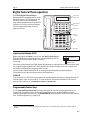
Digital Feature Phone operation
Park/hold operation
The difference between park and hold
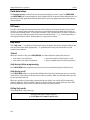
Your Digital Feature Phone lets you put a call on either park or hold. Each puts a call into a standby
mode, but here’s the difference between the two:
•
Park allows anyone on the IVX system to retrieve the call. The system stores parked calls at the
Line so that each line can be parked.
For example, if you need to transfer a call to another station and know the person is in the
building but not at his/her desk, you might page him/her to pick up a “call on Park One.”
•
Hold keeps the call exclusively at your station, allowing no other station to retrieve it.
Park
To park a call
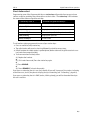
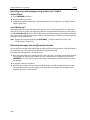
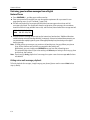
While on an outside call, press the PARK key to park the call. The display will momentarily indicate
“PARKED ON: X” (where X is the line number).
2023456562
PARKED ON:
1:43
6
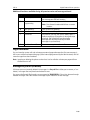
If your phone has line keys programmed, the corresponding line key will blink green. If your phone
has line keys programmed, the corresponding line key will blink green. On other phones the
corresponding line key will blink red.
Note: The line numbers of calls that you have parked will remain displayed on the bottom line of
your display until retrieved.
To retrieve a parked call
From any idle phone, press PARK and dial its line number (e.g., press 4 for Line 4).
Note: You can retrieve the oldest parked call by pressing PARK and then 0.
If your phone has any line keys programmed (see “Programmable feature keys,” page A.26), each
will blink red when a call is parked on its lines; in such cases, just press that line key to retrieve the
parked call.
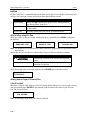
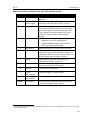
The display will help you choose the line number to retrieve. After you press PARK, the top line of
the display will show how many calls are parked and the bottom line of the display will show all
parked calls in the system. Newly parked calls are added from the right side of the display.
CALLS PARKED: 2
R4 6
Oldest (and recalling) Newest
A.9