1
Acadia, Acadia Denali, Enclave, and Traverse Navigation System (Includes
Mex) - 2012
Black plate (21,1)
Infotainment System
If the ignition or radio is turned off
with a CD in the player, it stays in
the player. When the ignition or
radio is turned on, the CD starts
playing where it stopped, if it was
the last selected audio source.
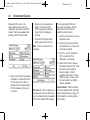
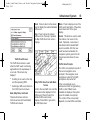
Playing an Audio CD
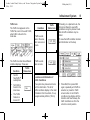
Random:
1. Press to hear the tracks in
random, rather than sequential
order.
2. Press Random again to turn off
random play.
As each new track starts to play, the
track number displays.
r (Rewind):
1. Press and hold to rewind quickly
through a track selection. Sound
is heard at a muted or a reduced
volume.
If an error displays, see “CD/DVD
Messages” in this section.
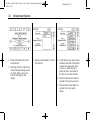
If viewing a map screen, press the
CD screen button or the NAV
button. The display splits between
the audio screen and the map
screen. If you do not want to view a
split screen or you are not on a map
screen, press AUDIO, then press
AUDIO again, repeatedly until CD is
selected or press the CD screen
button.
21
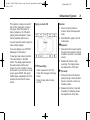
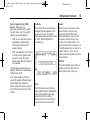
j / r (Pause/Play):
1. Press to pause the CD. This
button then changes to the play
button.
2. Press the play button to play
the CD.
2. Release this button to stop
rewinding. The display shows
the elapsed time of the track.
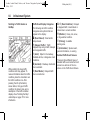
[ (Forward):
1. Press and hold to fast forward
quickly through a track selection.
Sound is heard at a muted or a
reduced volume.
2. Release this button to stop fast
forwarding. The display shows
the elapsed time of the track.