1
Safety Precautions
General
l
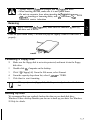
Follow all cautions and instructions which may be marked on the computer.
l
Except as described elsewhere in this manual, refer all servicing to qualified
personnel. Immediately shut off the computer and refer,for servicing under the
following conditions:
l when the power cord or plug is damaged or frayed
l if liquid has been spilled on the computer
l if the computer has been dropped or the cabinet has been damaged
Location
Do not expose the computer to direct sunlight.
Try to avoid dusty environments.
Keep the computer away from any magnetic devices and TVs.
Keep the computer away from excessive humidity or fluids such as rain. snow.
water spray, juice, coffee, steam, etc.
Do not move the computer from a cold place to a warm place. A temperature
difference of more than LO’C (18°F) will cause condensation inside the unit,
which may damage the data.
Do not block or cover slots or openings on the cabinet to protect the computer
from over heating.
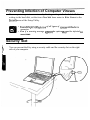
Care should be exercised when using on heat sensitive surfaces or your lap as the
base of this computer will get hot.
Do not smoke near your computer.
Usage
”
0
Never push any objects of any kind into cabinet openings. They may touch
dangerous voltage points or short parts that could result in fire or electrical
shock.
0
Turn off the computer before installing or removing a peripheral device(except
when connecting USB devices and PC cards).
0
Check the AC power cord and power connectors periodically for damage.
Replace the power cord immediately if damage is found.
.