1
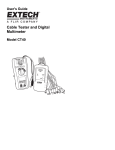
Meter Description
1.
Low Battery Indicator -Receiver
2.
Receiver Alligator Test Leads
3.
Operation Indicator -Receiver
4.
On/Off Switch -Receiver
5.
Hold Switch – Digital Multimeter
DMM Input Jacks
7.
Max Button – Digital Multimeter Mode
8.
Mode Button – Digital Multimeter Mode
9.
LCD Display – Multimeter Mode
14
3
13
4
12
11
10
Mode
6.
2
1
15
16
5
9
8
7
6
10. Rotary Switch – Multimeter Mode
17
11. ID Test Button –Continuity Beep Test
12. V Check Button – Cable Voltage Check
13. LCD Display for Cable Identifier Function
14. Operation Indicator- Transmitter
15. Low Battery Indicator –Transmitter
16. On/Off Switch – Transmitter
17. Transmitter Alligator Test Leads – CH1-16
LCD display descriptions
1.
Cable ID Number Display
2.
Low bat LED
3.
OP operation LED
4.
Autorange Indicator
5.
Diode Test
6.
Continuity
7.
Display Hold
8.
Max
9.
Low Battery Indicator
LO BAT
1
OP
4
7
5 6
2
3
8
9
12
10
11
10. Units
11. DMM Digit Display
12. AC/DC Indicators
3
CT40- EU-EN V1.7 1/13