1
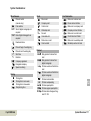
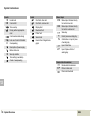
Table of Content 1 2 Introduction . . . . . . . . . . . . . . . . . . . . . . . . . . . . . . . 6 1.1 About this Guide . . . . . . . . . . . . . . . . . . . . . . . 6 1.1.1 How to Use this Guide . . . . . . . . . . . 6 1.1.2 Symbols . . . . . . . . . . . . . . . . . . . . . . 7 1.2 Legal Requirements . . . . . . . . . . . . . . . . . . . . . 8 1.2.1 Regulations for Drivers . . . . . . . . . . . 9 1.2.2 Regulations for Company Representatives. . . . . . . . . 9 1.3 Standards and Guidelines . . . . . . . . . . . . . . . 10 1.4 General . . . . . . . . . . . . . . . . . . . . . . . . . . . . . 11 1.4.1 Hints to Taking Care of EFAS. . . . . . 11 1.4.2 Handling Tachograph Cards . . . . . . 11 1.4.3 Handling Printouts . . . . . . . . . . . . . 12 1.4.4 Automatic Settings . . . . . . . . . . . . . 12 1.4.5 Time Zones. . . . . . . . . . . . . . . . . . . 13 Display and Controls. . . . . . . . . . . . . . . . . . . . . . . . . 14 2.1 Display Elements . . . . . . . . . . . . . . . . . . . . . 14 2.1.1 Display Symbols . . . . . . . . . . . . . . . 14 2.1.2 Symbol Combinations. . . . . . . . . . . 15 2.1.3 LED Display. . . . . . . . . . . . . . . . . . . 16 2.2 Acoustic Signals . . . . . . . . . . . . . . . . . . . . . . 16 2.2.1 Meaning of the Acoustic Signals . . 16 2.3 Controls . . . . . . . . . . . . . . . . . . . . . . . . . . . . 17 © by EFKON AG 2.3.1 2.3.2 2.3.3 3 Adjusting of the Activity . . . . . . . . 18 Modes of Operation . . . . . . . . . . . 19 Displays . . . . . . . . . . . . . . . . . . . . . 20 Operation of EFAS – Driver and Co-Driver . . . . . . . . 3.1 Before Starting . . . . . . . . . . . . . . . . . . . . . . . 3.2 Driving . . . . . . . . . . . . . . . . . . . . . . . . . . . . . 3.3 Co-Driver Taking Over . . . . . . . . . . . . . . . . . 3.4 Stopping, Withdrawing the Driver Card . . . . 3.5 Continuing a Shift . . . . . . . . . . . . . . . . . . . . 3.6 Continuing an Interrupted Shift . . . . . . . . . . 3.7 Acknowledging Events or Faults . . . . . . . . . . 3.8 Setting the Local Time . . . . . . . . . . . . . . . . . 3.9 Setting a Ferry/Train Crossing . . . . . . . . . . . . 3.10 Digital Tachograph not Required (OUT) . . . . . 3.11 Displaying Data (Print Preview) . . . . . . . . . . . 3.12 Printing Data . . . . . . . . . . . . . . . . . . . . . . . . 3.13 Cancelling a Printout . . . . . . . . . . . . . . . . . . 3.14 End of Paper . . . . . . . . . . . . . . . . . . . . . . . . 3.15 Inserting a Reel of Paper . . . . . . . . . . . . . . . . 3.16 Clearing a Paper Jam . . . . . . . . . . . . . . . . . . 3.17 Completing Activities (Handwritten Form) . . 3.18 Monitoring Speed . . . . . . . . . . . . . . . . . . . . 3.19 Resetting the Trip Meter . . . . . . . . . . . . . . . . 24 25 26 27 28 29 32 35 36 37 38 40 41 43 43 44 46 47 47 48 Table of Content 3