1
Getting started
Replacing a handset
• You cannot
de-register the
handset(s) if
any telephone
connected to the
same telephone
line is in use.
When you are replacing rather than adding a handset, for
your handsets to be numbered sequentially, you need to
delete all the handset registrations on the telephone base,
then register all handsets again.
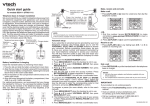
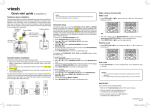
To de-register all handsets:
1. Press and hold FIND HANDSET on the telephone base for
about 10 seconds (until the IN USE light on the telephone
base turns on and starts to flash), then release the FIND
HANDSET button.
2. Press and release FIND HANDSET again. You must press
FIND HANDSET while the IN USE light is still flashing. The
IN USE light will flash for approximately seven seconds.
3. Soon all handsets registered to the same telephone
base will show CONNECTING... and it will take about
10 seconds to complete the de-registration process. All
handsets will show NOT REGISTERED if de-registration
is successful.
www.vtechphones.com
NOT REGISTERED