1
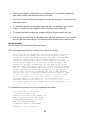
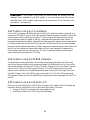
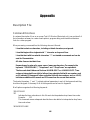
preliminary formatting of your captions by having the transcript break up captions according to
punctuation marks, and then square up text for captions with multiple rows.
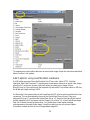
ASCII Text (formatted)
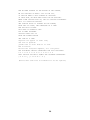
Formatted text where each line of text is formatted as one caption.
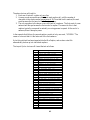
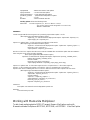
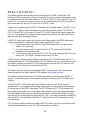
I'M AT THE LEFT OF THE SCREEN.
SO CAPTIONS OF WHAT I SAY
APPEAR AT THE LEFT OF THE SCREEN, TOO.
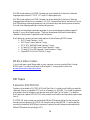
NOW MY NAME APPEARS AT THE BOTTOM OF THE SCREEN,
WE PUT CAPTIONS OF WHAT I SAY AT THE TOP,
SO THAT MY NAME IS NOT COVERED BY CAPTIONS.
You do not have any choice how an individual text is broken up into multiple lines. MacCaption
will break the line assuming maximum number of characters in one line is 32.
ASCII Text Files (Tab Delimited)
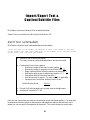
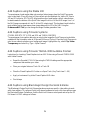
MacCaption can import various text files with and without time codes. Each line must contain
one caption.
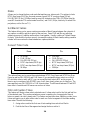
•
•
•
Text broken up into individual caption/subtitles
Text with In time code (Tab delimited)
Text with In and Out time codes (Tab delimited)
Text Only (Must Be Separated by Tab)
You can import text files with text separated by Tab characters.
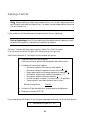
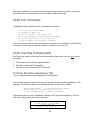
Here is a short example of the file with text only and the individual captions separated by a Tab
character. The Tab inside each line will separate the text into two lines of caption.
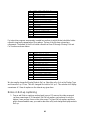
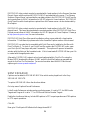
NOW MY NAME APPEARS
AT THE BOTTOM OF THE SCREEN,
WE PUT CAPTIONS
OF WHAT I SAY AT THE TOP,
SO THAT MY NAME IS NOT
COVERED BY CAPTIONS.
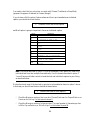
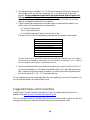
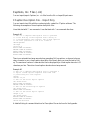
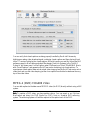
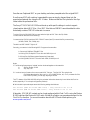
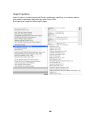
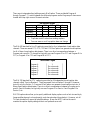
After opening the file in the CaptionMaker software, it will look like the following. The lines
within each caption are broken at the Tab position.
NOW MY NAME APPEARS
AT THE BOTTOM OF THE SCREEN,
WE PUT CAPTIONS
OF WHAT I SAY AT THE TOP,
57