1
4
Printer Interfaces
Overview . . . . . . . . . . . . . . . . . . . . . . . . . . . . . . . . . . . . . . . . . . . . . . . . . . . . . 4–2
Dataproducts Parallel Interface . . . . . . . . . . . . . . . . . . . . . . . . . . . . . . . . . . . . 4–3
Dataproducts Parallel Interface Signals . . . . . . . . . . . . . . . . . . . . . . . . . . 4–4
Dataproducts Parallel Interface Configuration . . . . . . . . . . . . . . . . . . . . . 4–5
Centronics Parallel Interface . . . . . . . . . . . . . . . . . . . . . . . . . . . . . . . . . . . . . . 4–6
Centronics Parallel Interface Signals . . . . . . . . . . . . . . . . . . . . . . . . . . . . 4–7
Centronics Parallel Interface Configuration . . . . . . . . . . . . . . . . . . . . . . . 4–8
Alternate Terminating Resistors . . . . . . . . . . . . . . . . . . . . . . . . . . . . . . . . . . . 4–9
Removal and Installation . . . . . . . . . . . . . . . . . . . . . . . . . . . . . . . . . . . . . 4–9
RS-232 Serial Interface . . . . . . . . . . . . . . . . . . . . . . . . . . . . . . . . . . . . . . . . . . 4–10
RS-232 Serial Interface Signals . . . . . . . . . . . . . . . . . . . . . . . . . . . . . . . . 4–10
RS-232 Serial Interface Protocols . . . . . . . . . . . . . . . . . . . . . . . . . . . . . . 4–11
RS-232 Serial Interface Error Handling . . . . . . . . . . . . . . . . . . . . . . . . . . 4–12
RS-232 Serial Interface Configuration . . . . . . . . . . . . . . . . . . . . . . . . . . . 4–13
5
Routine Service and Diagnostics
Overview . . . . . . . . . . . . . . . . . . . . . . . . . . . . . . . . . . . . . . . . . . . . . . . . . . . . . 5–2
Cleaning Requirements . . . . . . . . . . . . . . . . . . . . . . . . . . . . . . . . . . . . . . . . . . 5–2
Cleaning Outside the Cabinet . . . . . . . . . . . . . . . . . . . . . . . . . . . . . . . . . . 5–2
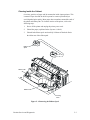
Cleaning Inside the Cabinet . . . . . . . . . . . . . . . . . . . . . . . . . . . . . . . . . . . 5–3
Diagnostic Tests . . . . . . . . . . . . . . . . . . . . . . . . . . . . . . . . . . . . . . . . . . . . . . . 5–6
Configuration Printout . . . . . . . . . . . . . . . . . . . . . . . . . . . . . . . . . . . . . . . 5–8
Print Data Stream in Hex Code . . . . . . . . . . . . . . . . . . . . . . . . . . . . . . . . 5–9
Printer Test 8 Inch Width . . . . . . . . . . . . . . . . . . . . . . . . . . . . . . . . . . . . . 5–9
Printer Test Full Width . . . . . . . . . . . . . . . . . . . . . . . . . . . . . . . . . . . . . . . 5–9
Print Statistics . . . . . . . . . . . . . . . . . . . . . . . . . . . . . . . . . . . . . . . . . . . . . . 5–9
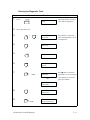
Running the Diagnostic Tests . . . . . . . . . . . . . . . . . . . . . . . . . . . . . . . . . . 5–11
Printing Hex Code . . . . . . . . . . . . . . . . . . . . . . . . . . . . . . . . . . . . . . . . . . . . . 5–13
Fault Messages . . . . . . . . . . . . . . . . . . . . . . . . . . . . . . . . . . . . . . . . . . . . . . . . 5–16
Table of Contents
v