1
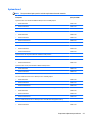
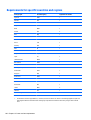
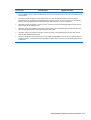
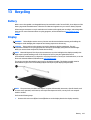
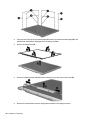
Heat sink assembly
NOTE: The heat sink assembly spare part kit includes replacement thermal materials.
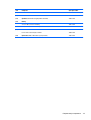
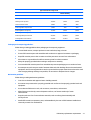
Description
Spare part number
Heat sink for use in models with an AMD processor
753895-001
Heat sink for use in models with an Intel processor and UMA graphics
759880-001
Heat sink for use in models with an Intel processor and discrete graphics
759881-001
NOTE: To properly ventilate the computer, allow at least 7.6 cm (3.0 in) of clearance on the left side of the
computer. The computer uses an electric fan for ventilation. The fan is controlled by a temperature sensor
and is designed to turn on automatically when high temperature conditions exist. These conditions are
affected by high external temperatures, system power consumption, power management/battery
conservation configurations, battery fast charging, and software requirements. Exhaust air is displaced
through the ventilation grill located on the left side of the computer.
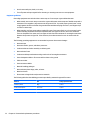
Before removing the heat sink assembly, follow these steps:
1.
Shut down the computer. If you are unsure whether the computer is off or in Hibernation, turn the
computer on, and then shut it down through the operating system.
2.
Disconnect all external devices connected to the computer.
3.
Disconnect the power from the computer by first unplugging the power cord from the AC outlet and
then unplugging the AC adapter from the computer.
4.
Remove the battery (see Battery on page 33), and then remove the following components:
●
Keyboard (see Keyboard on page 39)
●
Top cover (see Top cover on page 42)
●
WLAN module (see WLAN module on page 50)
●
System board (see System board on page 55)
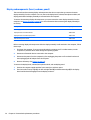
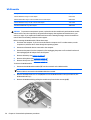
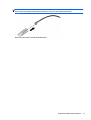
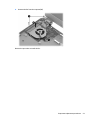
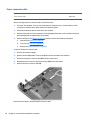
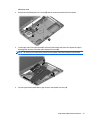
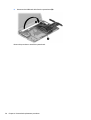
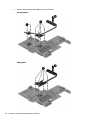
To remove the heat sink assembly:
1.
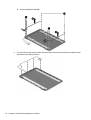
Position the system board upside down.
2.
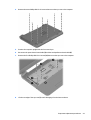
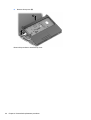
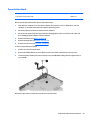
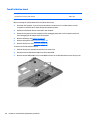
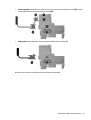
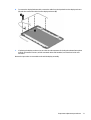
Loosen the screws on the heat sink (1) that secure the heat sink assembly to the system board.
Component replacement procedures
61