1
• Daylight saving time is not pre-set at the factory (with the indication
of month 00 and day 00).
• The D.S.T. button stays lit up during its setting operation.
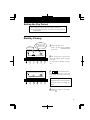
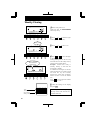
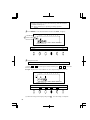
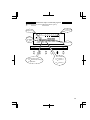
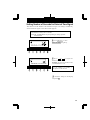
1 Press SELECT to cause the fourth button from the left, D.S.T. , to light up.
12Hr.
Start date of D.S.T.
SU
MO
TU
WE
TH
FR
SA
1/60
1/100
YEAR MONTH
RED/BLK. EX.ALM
PAY ENDING
DATE/TIME
DAY
COL.
HOUR
DAY ADV.TIME
MINUTE
D.S.T
SECOND/CARD
PROGRAM
EXT.ALARM
SELECT
SET
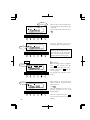
2 Setting the start date
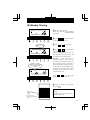
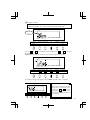
"01" is indicated at the upper left of the display during setting of the start date.
(1) Press
or
to cause digits to flash, and then press
or
to select the
desired time.
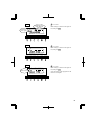
Example: If your D.S.T. starts on March 25, 2001, adjust the digits to "01-03-25".
12Hr.
SU
MO
TU
WE
TH
FR
SA
1/60
1/100
YEAR MONTH
RED/BLK. EX.ALM
PAY ENDING
SELECT
DATE/TIME
DAY
COL.
DAY ADV.TIME
HOUR
MINUTE
D.S.T
SECOND/CARD
PROGRAM
EXT.ALARM
SET
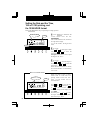
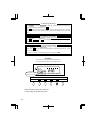
(2) Check the settings on the display and press SET . Now the setting is completed.
16