1
What’s Inside
Contents
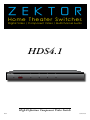
Thank you for your purchase of your HDS4.1 H igh D efinition Compo nent Video Switch.
What’s Inside...................................... 1
An Overview of the HDS4.1................. 3
Easy, Simple, Instructions!.................. 5
Three Simple Steps to a Remote!......... 7
Controlling the Front Panel Lights...... 9
Adjusting the Front Panel Intensity... 11
Setting the Initial Power On State..... 13
Disabling Front Panel or Remote.. ..... 15
Ever y care has been taken to assure you of a successful installation
and subsequent operations of your new HDS4.1 video switch, however
should something go wrong, and war rant y repair wor k is needed, we
request that you hold on to the or iginal pack aging mater ials.
Please take this time to ver ify the contents of the HDS4.1 box.
The following should be included:
1.
2.
3.
HDS4.1
Power Supply M odule
This User ’s M anual
I f anything is missing please get in touch with us as soon as possible
so that we can cor rec t the situation.
Resetting to Factory Defaults.. .......... 17
Specifications................................... 19
Warranty Policy................................ 20
Contact Information......................... 21
ii
HDS4.1 Component Video Switch
HDS4.1 Component Video Switch