1
Note: Security issues should never be a concern when using the
A10/X628. No real image of the user’s fingerprint(s) is stored in the
device. Only the minutiae-based templates are stored.
B. Getting Good Fingerprint Images
The quality of fingerprint images is comparable to the amount of minutiae
points acquired by the A10/X628 sensor. Fingerprint images that do not
possess a sufficient number of minutiae points may be indecipherable. We
advise those users whose fingerprint images cannot be read by the sensor
to create a password.
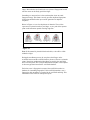
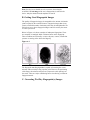
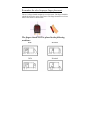
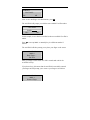
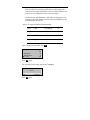
Below in Figure A-2 shows examples of inadequate fingerprints. These
are examples of smudged, faded or distorted areas on the fingerprint.
These conditions are incurred by excessive dryness, wetness, insufficient
pressure or scarring of the skin at the fingertip.
Figure A-2
The fingerprint matching algorithm is capable of extracting the correct
minutiae without visibly seeing a perfect print. However, the positioning
of the finger, the moisture and pressure is imperative when placing it on
the sensor. These are major contributing factors in achieving a consistent
fingerprint match.
C. Correcting Wet/Dry Fingerprint(s) Images