1
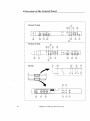
Remote
control
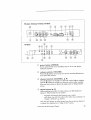
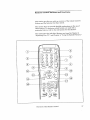
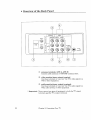
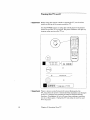
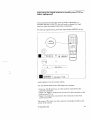
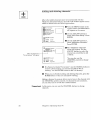
(_) select switch
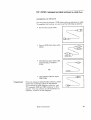
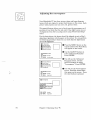
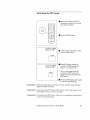
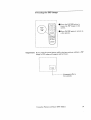
Your remote control has four layers: the TV
layer, the VCR-A layer, the VCR-B layer,
and the CABLE layer. You can set up each
of these layers to operate a different piece
of equipment.
Use this switch to select the
layer you want to set up or use.
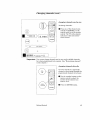
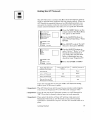
@ power button
(POWER)
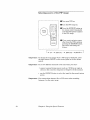
Use to turn the TV on or off. When you
turn the TV on, the power indicator will
light in green. (The select switch must be
set to the TV layer.)
(_) number
buttons
(0-9)
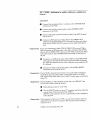
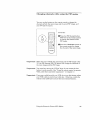
Use to select a channel number
a parental
or to enter
lock code.
@ channel
control (CHANNEL)
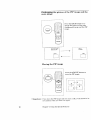
Press the top part of the button to change
to a channel with a higher number; press
the bottom part to change to a channel
with a lower number.
(_) volume
control
(VOLUME)
Press the top part of the button to turn up
the volume; press the bottom part of the
button to turn down the volume.
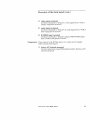
@ SuperQuickView
TM button
(SQV)
Press to view channels you have
programmed
into SuperQuickView
memory.
@ input button
(INPUT)
Use to select the input source you wish to
watch:
• TV channels on Antenna A or Antenna B
• Other equipment
connected to Input 1, 2,
or 3
Chapter
and functions
(cont.)
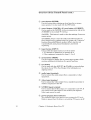
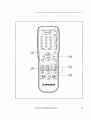
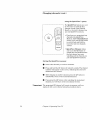
61 mute control! (MUTE)
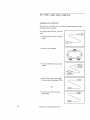
Use to turn the sound off completely
restore it to it,; original volume.
or to
(_) enter button
(ENTER)
Use this button after selecting a channel
number, after selecting an item from the
on-screen menu system, or with the picture-in-picture
mode.
(_) light: button
(only for TS-4545/5045/5545,
VS-5047/6047)
Use to light up the remote (for 3 seconds).
(_ adjust buttons (A, T, _, _" )
After selecting an audio or video function,
use these buttons to adjust the ,_ound or
picture. Also use these with the picture-inpicture mode and to select items', in the
inenus.
(_) information
button
(INFO)
Use to view an on-screen summary
of the
current settings for the TV or cable functions and the display related to Extended
Data Services ()H)S).
(_ cancel button
(CANCEL)
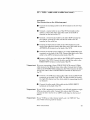
This button is used to cancel a channel
number, to clear' a channel programmed
into SuperQuickView
memory, and to clear
the settings of' some on-screen menus.
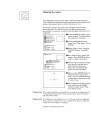
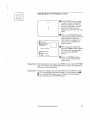
(Z) QuikView TM button (QV)
Press this button to instantly switch to the
channel that you designated
as the Quick
View channel. Press again to return to the
last channel viewed.
18
buttons
1: Getting
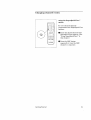
(_)home
button (ltOME)
Press to return to regular TV viewing
from the on-screen menus, to turn off the
on-screen disp:[ays, and to cancel the closed
captioning.
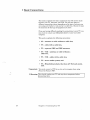
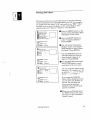
(_) sleep timer button
(SLEEP')
Use to program the TV to turn off' automatically at a later time.
(_) menu button
(MENU)
Use this button to display the on-screen
menu system, which contains additional
instructions
for special functions.
to Know Your TV