1
Returnstar Interactive Technology Group Co., Ltd.
Contents
PART I FOREWORD ....................................................................................... 5
Charpter 1 Product Introduction............................................................................... 5
Charpter 2 Install, Uninstall, Register and Update ................................................. 5
2.1 Install ............................................................................................................................................ 5
2.2 Uninstall ........................................................................................................................................ 6
2.3 Register ......................................................................................................................................... 6
2.4 Update ........................................................................................................................................... 8
PART II .......................................................................................................... 11
IQ INTERACTIVE EDUCATION PLATFORM USER GUIDE ........................ 11
Chapter 1 Start IQ Interactive Education Platform ............................................... 11
Chapter 2 Working Modes ....................................................................................... 12
2.1 Windows Mode ........................................................................................................................... 13
2.2 Board Mode ................................................................................................................................ 15
2.3 Show Mode ................................................................................................................................. 16
2.4 Dual-user Mode .......................................................................................................................... 17
2.5 Multi-user Mode......................................................................................................................... 19
Chapter 3 Use IQ Interactive Education Platform ................................................ 21
3.1 File Management ........................................................................................................................ 21
3.2 Page Management ...................................................................................................................... 24
3.3 Creating Objects ........................................................................................................................ 27
3.4 Manipulate Objects .................................................................................................................... 41
3.5 Operation Review ...................................................................................................................... 45
3.6 Resource Panel ........................................................................................................................... 46
3.7 Assistant Tools ............................................................................................................................ 57
3.8 Video Conference ....................................................................................................................... 69
3.9 System Settings ........................................................................................................................... 71
PART III IQCLICK USER GUIDE .................................................................. 75
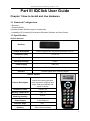
Chapter 1 How to Install and Use Hardware ......................................................... 75
1.1 Standard Configuration............................................................................................................. 75
1.2 Specification ............................................................................................................................... 75
Chapter 2 Connect USB Receiver ............................................................................ 80
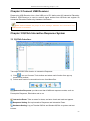
Chapter 3 IQClick Interactive Response System ................................................... 80
3.1 IQClick Interface ....................................................................................................................... 80
3