1
1
1.1
1.2
1.3
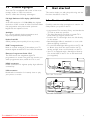
Important 3
Safety 3
Care of the screen 3
Recycling 3
7
7.1
7.2
7.3
2
2.1
2.2
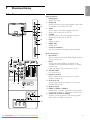
Your TV 4
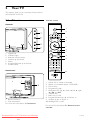
Television overview 4
Product highlights 5
7.4
3
3.1
3.2
3.3
3.4
3.5
Getting started 5
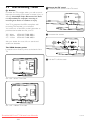
Position the TV 5
Wall mounting - VESA 6
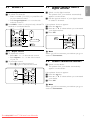
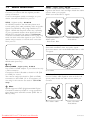
Remote control batteries 7
Antenna cable 7
Power cable 7
4
4.1
4.2
4.3
4.4
4.5
4.6
4.7
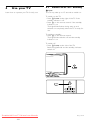
Use your TV 8
Switch on or off - Standby 8
Watch TV 9
Watch channels from a digital receiver 9
Watch connected devices 9
Watch a DVD 10
Select a Teletext page 10
Change Ambilight mode 11
5
5.1
5.2
5.3
5.4
5.5
5.6
5.7
5.8
5.9
5.10
5.11
5.12
5.13
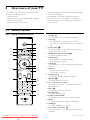
Use more of your TV 12
Remote Control 12
LightGuide brightness 13
TV menus 13
Picture and sound settings 14
Ambilight 17
Teletext 18
Create favourite channel lists 19
Electronic Programme Guide 20
Timers and locks 21
Subtitles 22
Watch and play photos and music 23
Listen to digital radio channels 24
Software update 25
6
6.1
6.2
6.3
6.4
6.5
6.6
Channel installation 27
Automatic channel installation 27
Manual channel installation 28
Rearrange stored channels 29
Channel management 29
Digital reception test 30
Factory settings 30
Table of contents
Downloaded
From TV-Manual.com Manuals
7.5
7.6
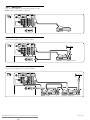
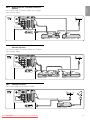
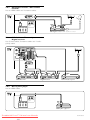
Connections (DVD, receiver, ...) 31
Connections overview 31
About connections 32
Connect your devices with the
Connection assistant 33
Connect your devices without the
Connection assistant 33
Connection setup 39
Preparing for digital services 40
8
Technical data 41
9
Troubleshooting 42
10
Index 44
ENGLISH
Table of contents
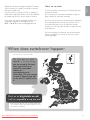
UK Digital TV switchover info 46
Register your product and get support at
www.philips.com/welcome.
1