1
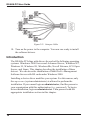
Chapter 2—Hardware Installation 4. To avoid damaging the ISI4608-PCI card and your PC, make sure your computer and any peripheral equipment connected to it are turned off. The ISI4608-PCI can be installed in a PC-AT, 386, 486, or Pentium equivalent PCI bus computer. 5. Remove the cover of your computer as instructed in your computers documentation. 6. Locate the unused PCI slot you will be using for your ISI4608-PCI card and remove the slot cover according to instructions in your computers documentation. 7. Install the ISI4608-PCI card into the selected expansion slot in the same manner as any other add-on card, as instructed in your computers documentation. 8. Fasten the retaining bracket to computer chassis and replace cover. 9. Attach the octopus cable to the DB78S female connector on the ISI4608-PCI card at the back of your computer. The RS232 ports on the octopus cable are for connecting to modems, multiplexers or other devices. If the other device is a local terminal port, a crossover cable (not included) is required between the octopus cable and the terminal port. See Appendix A for schematic of a crossover cable. Note: Any cables connected to the computer must be shielded to reduce interference. 13