1
Detailed Operation
On/Off
Push once to turn the unit on.
Push again momentarily, and the unit goes off, displaying “shutdown” as the system performs housekeeping chores before going to sleep.
Push on-off
PVT801 Video Display Terminal operation
The on/off switch on the LCD video terminal is independent of the PAV80 itself.
This is the round button along the right side of the PVT801.
The other buttons control the picture quality of the PVT801, and the input modes.
NOTE: best results will be obtained with some shade on the
PVT801 screen.
PVT801 MENU
NOTE: It is NOT necessary to “shutdown” the PAV80 before turning the
avionics master off. However, if the PAV80 is switched off in the middle of a
movie, it will not remember the place where it stopped, and start over from
the beginning.
Volume control for crew
Twisting the volume knob clockwise will increase the CREW volume. The display will change to VOL, followed by a number representing the volume level.
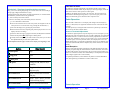
The on-screen display for the PVT801 controls the picture tint and color, as well
as the brightness. A final selection will restore the factory default settings (when
you get totally confused!)
Press the MENU icon to activate the on screen menu display, select the secured
function by touching the menu button again, and then use the up and down arrows to slew the range.
Volume control for passengers
COLOR
BRIGHT
TINT
RESET
VOL
UP
To change the Passenger volume control from the PAV80
panel, push AND HOLD the volume control until the right side of the
display changes to VOL. Then the volume of the entertainment going
VOL
DN
to the passengers can be changed.
In addition to the PAV80 controls, the passengers can control their
volume from the remote control, simply by pressing the up and down
volume buttons. The
display will show the new volume level.
Changing the display brightness
202-800-0101
Page 8
Rev. 2 August 2003
PAV80 IFE Pilots Guide
Page 5
Rev. 2 August 2003
V
O
L
U
M
E