1
SELinux
16.3. SELinux
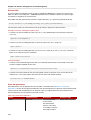
This sections contains topics to consider when using SELinux with your virtualization deployment.
When you deploy system changes or add devices, you must update your SELinux policy accordingly.
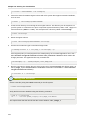
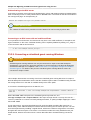
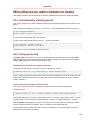
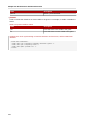
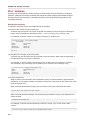
To configure an LVM volume for a guest, you must modify the SELinux context for the respective
underlying block device and volume group.
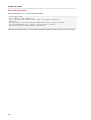
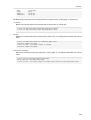
# semanage fcontext -a -t virt_image _t -f -b /dev/sda2
# restorecon /dev/sda2
KVM and SELinux
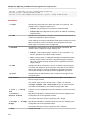
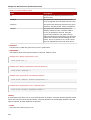
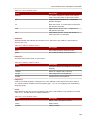
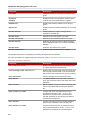
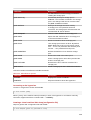
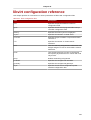
There are several SELinux Booleans which affect KVM and libvirt. These Booleans are listed below for
your convenience.
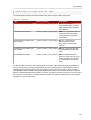
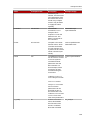
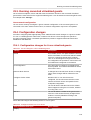
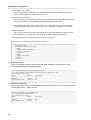
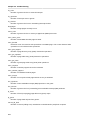
KVM SELinux Booleans
SELinux Boolean
Description
allow_unconfined_qemu_transitionDefault: off. This Boolean controls whether KVM guests can be
transitioned to unconfined users.
qemu_full_network
Default: on. This Boolean controls full network access to KVM
guests.
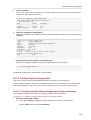
qemu_use_cifs
Default: on. This Boolean controls KVM's access to CIFS or
Samba file systems.
qemu_use_comm
Default: off. This Boolean controls whether KVM can access
serial or parallel communications ports.
qemu_use_nfs
Default: on. This Boolean controls KVM's access to NFS file
systems.
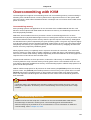
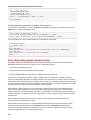
16.4. Virtualization firewall information
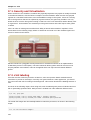
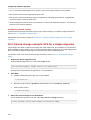
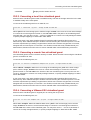
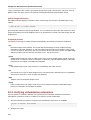
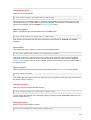
Various ports are used for communication between virtualized guests and management utilities.
Guest network services
Any network service on a virtualized guest must have the applicable ports open on the guest to
allow external access. If a network service on a guest is firewalled it will be inaccessible. Always
verify the guests network configuration first.
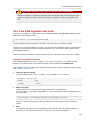
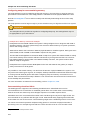
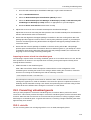
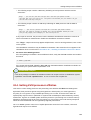
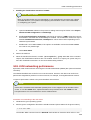
• ICMP requests must be accepted. ICMP packets are used for network testing. You cannot ping
guests if ICMP packets are blocked.
• Port 22 should be open for SSH access and the initial installation.
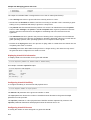
• Ports 80 or 443 (depending on the security settings on the RHEV Manager) are used by the vdsmreg service to communicate information about the host.
• Ports 5634 to 6166 are used for guest console access with the SPICE protocol.
• Ports 49152 to 49216 are used for migrations with KVM. Migration may use any port in this range
depending on the number of concurrent migrations occurring.
133