1
Table of Contents
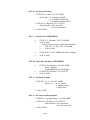
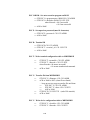
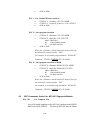
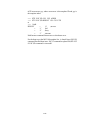
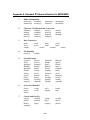
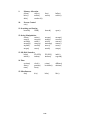
Table of Contents...................................................................................................................1-2
1.
System Kernel............................................................................................................1-6
1.1.
1.2.
1.3.
1.4.
Application Programming Interface.................................................................................. 1-6
Keypad Subsystem ............................................................................................................ 1-7
Display Subsystem............................................................................................................ 1-7
Communication Subsystem............................................................................................... 1-8
1.4.1. Point to point mode.................................................................................................... 1-8
1.4.2. Multi-point mode....................................................................................................... 1-8
1.5.
Real time clock subsystem ................................................................................................ 1-8
1.6.
Relay output and Digital input subsystem.......................................................................... 1-8
1.7.
Bar code / Magnetic stripe / Proximity / ICC .................................................................... 1-9
1.8.
Download Program in Point-to-point mode....................................................................... 1-9
1.9.
Download Program in Multi-point mode......................................................................... 1-10
2.
Data Structure ..........................................................................................................2-14
2.1.
2.2.
2.3.
Device Control Table...................................................................................................... 2-14
Type Definition .............................................................................................................. 2-14
Barcode Control Table.................................................................................................... 2-15
2.3.1. Type Definition........................................................................................................ 2-15
2.4.
Communication Control Table of Host port..................................................................... 2-16
2.4.1. Type Definition........................................................................................................ 2-16
2.5.
Terminal Control Table (available for host port only) ..................................................... 2-17
2.5.1. Type Definition........................................................................................................ 2-17
3.
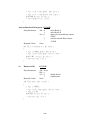
I/O Function Calls ....................................................................................................3-20
LCD Display INT 10H.................................................................................................. 3-20
Clear screen............................................................................................................. 3-20
Set cursor type ......................................................................................................... 3-20
Set cursor position ................................................................................................... 3-20
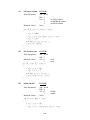
Get cursor position................................................................................................... 3-21
Scroll screen ............................................................................................................ 3-21
Enable/disable LCD Backlight INT 21H ................................................................. 3-21
3.2.
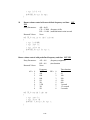
Communication Environment Setup ............................................................................... 3-22
1C
Select COM1 or COM2 as the host port ................................................................... 3-22
1C
Set host port protocol ............................................................................................... 3-23
1C
Set serial port flow control ....................................................................................... 3-23
19
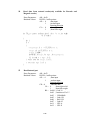
Set COM1 port as RS485 or modem ........................................................................ 3-24
3.3.
Host Port for Multi-point Protocol I/O (INT21H) ........................................................... 3-24
1C
Setup multi-point address......................................................................................... 3-24
1C
Set polling timeout duration..................................................................................... 3-24
5F
Read host port.......................................................................................................... 3-25
60
Output data.............................................................................................................. 3-25
61
Check if Busy-port ................................................................................................... 3-25
3.4.
Serial I/O for RS-232 and RS-485................................................................................... 3-26
RS-232 port serial I/O using INT 34H................................................................................ 3-26
01
Input data ................................................................................................................ 3-26
02
Output data.............................................................................................................. 3-27
3.1.
00
01
02
03
04
1A
1-2