1
CLEANING THE MACHINE
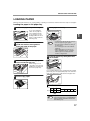
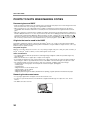
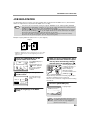
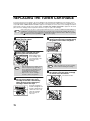
DOCUMENT GLASS AND DOCUMENT COVER/RSPF
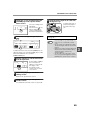
If the document glass, document cover/RSPF, or scanning glass for originals fed from the RSPF (the long narrow
glass surface on the right side of the document glass) become dirty, the dirt may appear on copies. Always keep
these parts clean.
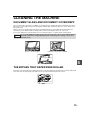
Stains or dirt on the document glass/document cover/RSPF will also be copied. Wipe the document glass, the
document cover, the RSPF and the scanning window on the document glass with a soft, clean cloth.
If necessary, dampen the cloth with water. Do not use thinner, benzene, or similar volatile cleaning agents.
Warning
Do not spray flammable cleaner gas. Gas from the spray may come in contact with the internal
electrical components or high-temperature parts of the fusing unit, creating a risk of fire or
electrical shock.
Surface of document glass
Underside of document cover/RSPF
Scanning glass for RSPF
5
Scanning glass
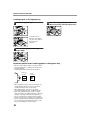
THE BYPASS TRAY PAPER FEED ROLLER
If misfeeds occur frequently when feeding envelopes or other thick paper from the bypass tray, wipe the paper feed
roller at the feed slot of the bypass tray with a soft, clean cloth moistened with alcohol or water.
Bypass tray paper feed roller
75