1
Contents
Conventions used ................................................................................................................................. 7
Care and safety........................................................................................................................................ 7
1
Get your Zen ready!
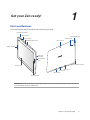
Parts and features.......................................................................................................... 9
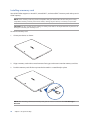
Installing a memory card...................................................................................................................10
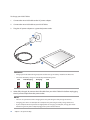
Charging your ASUS Tablet...............................................................................................................13
Turning your ASUS Tablet on or off................................................................................................15
Basics.........................................................................................................................................................16
Starting for the first time...................................................................................................................17
Using the optional ASUS Mobile dock..........................................................................................19
2
There’s no place like Home
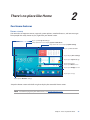
Zen Home features......................................................................................................25
Home screen..........................................................................................................................................25
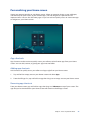
Personalizing your Home screen................................................................................27
App shortcuts........................................................................................................................................27
Widgets....................................................................................................................................................28
Wallpapers..............................................................................................................................................29
Extended Home screen......................................................................................................................30
Setting up the date and time...........................................................................................................31
Setting up your ringtone and alert sounds................................................................................31
Quick settings........................................................................................................................................32
System notifications............................................................................................................................33
Lock Screen..................................................................................................................34
Customizing your lock screen..........................................................................................................34
Customizing the quick access buttons.........................................................................................35
3
Keeping in touch
Managing contacts......................................................................................................39
Launching the Contacts app............................................................................................................39
Contacts Settings.................................................................................................................................39
Setting up your profile.......................................................................................................................39
Adding contacts....................................................................................................................................41
Setting up your VIPs............................................................................................................................42
Marking your favorite contacts.......................................................................................................44
Importing contacts..............................................................................................................................45
Exporting contacts...............................................................................................................................45
Social networking with your contacts..........................................................................................46
Send messages and more...........................................................................................47
Omlet Chat..............................................................................................................................................47
3