1
Quick Start
In order to become familiar with the phone straightaway follow these simple steps.
Preparing the phone for operation
Please refer to page 14.
Basic Operations
Turning on the phone
1
2
3
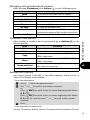
Press and hold down . The audible power tone is played.
When switching on for the first time,
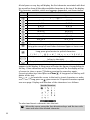
may appear for a few
seconds. This is quite normal. The standard display will appear
afterwards.
A switch on tone will be heard. When switching on for the first
time, enter the date & time.
If the mobile is locked, Enter lock code will be displayed.
Enter the 4 digit phonelock code and press OK .
If your SIM is PIN protected, Enter PIN will be displayed.
Enter the PIN code and press OK .
4 Please refer to page 12 for more details on your PIN and lock codes.
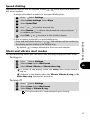
A display animation will be shown.
Standby display
This is followed by a registration tone after which the name or logo of the
network and/or service provider will be displayed together with the time
and date, signal and battery level indicators and the Internet and SMS
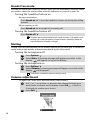
softkey functions. This is the normal standby display:
also appears in the standby display if your phone is
connected to a GPRS network*.
If the Mode of operation value was set to Modem
(see Getting more out of your Eclipse) and if the phone
is attached to a GPRS network*, the standby display
will be the following:
* GPRS availability is operator dependent
8