1
'"::---
Using
Signal
Attenuation
SRCHAATT
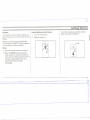
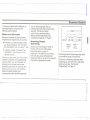
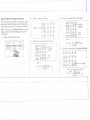
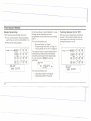
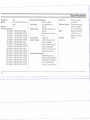
When the ATT indicator is on, the incoming
signal strength is attenuated (reduced) by
about 14 dB. This prevents unusually strong
signals from over-loading the scanner.
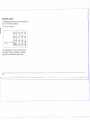
In the Scan Mode, you must individually
program each channel you want to use the
Signal Attenuation feature.
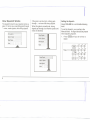
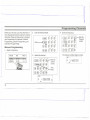
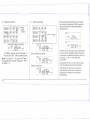
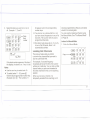
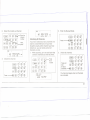
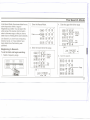
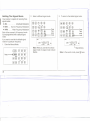
In the Search Mode
1.
Set the search
limits
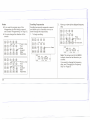
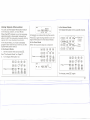
In the Manual Mode:
BANK
You can use the Signal Attenuation feature
in the manual, search, or Scan Mode.
and press
138
12.& KHz
8FT
Press
20
B[30@@
E]8"8J~
AM
8138
NFM
1
OMANUA
1
14
@.r-Enterthe
channel
I
16 I
15
@ @ @:
17
18
number.
191
Then,
press
§38:€)@@:
---57 20'---[3 l3 0 1-@
- __I:@
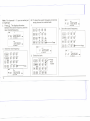
When the scanner stops on a channel:
88€)@@
1
8FT
BI30@@
E]8"8~
88888
11- - -'2- - - 131
0 @
(OSCAN):
1
BSAVE 1
AM
f313€)@@
1--
~
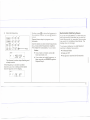
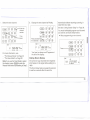
Press
on for a specific channel.
1.
Press
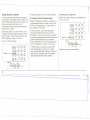
again during search to turn off
Signal Attenuation for the Search Mode.
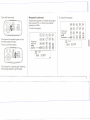
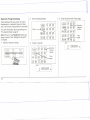
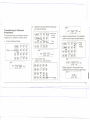
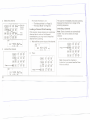
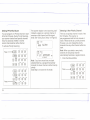
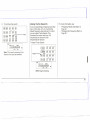
In the Scan Mode
See "The Search Mode" on Page 27.
2. Turn Signal Attenuation on.
11Hz
NFII
All signals are reduced during the search.
.
EJ
888.888
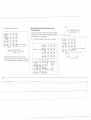
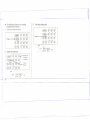
Tum Signal Attenuation
20
2.
NFM
E313€)@@
WFM
8FT
20
(3(30@@
BANK 2
E]E3"E]~
Press
ATT
P 31 '-186.981
AM
11Hz
80J
NFM
WFM
[3 8] E3
WFM
(8 8
To.change,
press
~
again.
37
,
'"
1 ---1l11
I
"1~
I
+