1
Intro
duct
ion
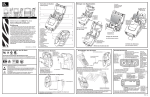
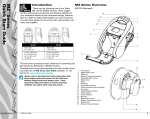
Rotate the Belt Clip out of
the way of the Battery
Charger Jack
Usin
g
Print the
er
Gett
ing S
tarte
d
Batteries are shipped uncharged. Remove protective
shrink-wrap and labels from new battery packs and
allow them to charge completely prior to initial use.
Do not charge the battery while using the printer!
Charge the battery pack when removed from the
Printer for best results.
QL 420 Battery
Battery
Pack
t Us
Acce
ssor
ies
Trou
blesh
ootin
g
LI72 Single Battery
Charger
Cont
ac
QL Plus Series
Quick Start Guide
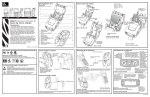
Install the Battery
Charge the Battery
Using the LI72 Single Charger
Insert the plug from the charger cable into the battery
pack’s charger jack. Plug the charger into the A.C. outlet.
The light on the front of the charger will indicate the battery pack’s charge status.
Consult the QL Plus User’s Guide available at
www.zebra.com/manuals for complete information on using the various versions of the Model LI72 Single Charger.
Rotate the Belt Clip out of
the way of the Battery
QL 220/ 320 Battery
Section Continues
2