1
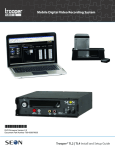
Explorer MX-HD Install and Setup Guide
Guide Contents
Tools and Equipment, on page 2
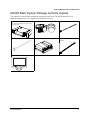
MX-HD Basic System Package Contents (typical), on page 3
MX-HD Plus System Package Contents (typical), on page 4
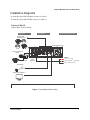
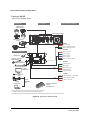
Installation Diagrams, on page 5
Installation Best Practices, on page 7
DVR and Component Installation, on page 8
Other Accessories, on page 13
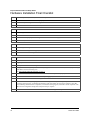
Hardware Installation Final Checklist, on page 14
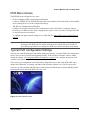
DVR Menu Access, on page 15
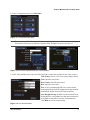
Typical DVR Configuration Settings, on page 15
vMax Web Laptop Configuration, on page 26
DVR Configuration Uploads, on page 30
Updating the Firmware, on page 38
Configuring DVR Email Notifications, on page 39
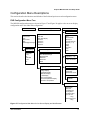
Configuration Menu Descriptions, on page 41
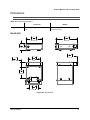
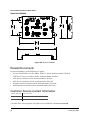
Dimensions, on page 67
Related Documents, on page 68
Customer Service Contact Information, on page 68
Tools and Equipment
This DVR system must be installed by a professional installer. A professional installer has the experience
and equipment to install and configure this DVR system to run properly.
Check that you have all the system components and inspect the units for any scratches or damage before
installing.
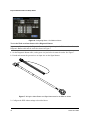
Keys included in package contents:
•
•
DVR keys for securing the removable hard drive
Front cover keys for securing the removable front cover
Configuration equipment:
2
•
For on-screen configuration: portable video monitor and trackball mouse
•
For vMax® Web configuration: laptop and an Ethernet cable.
700-0159 R003