1
O9Head_68007024014_a.book Page 85 Wednesday, June 9, 2010 5:36 PM
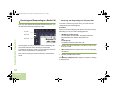
6 Press the Menu Select button directly below Refresh to
obtain a new location fix.
location is being determined.
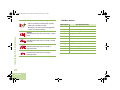
While the new location is being determined, the location
signal can be a solid or blinking icon.
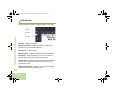
8 Once the location coordinates are fixed, the display shows
the current latitude and longitude, along with the UTC (Zulu)
time and date that the location fix was obtained.
The location coordinates are updated automatically every
five seconds while the location signal is present.
OR
If the radio fails to get a location fix, the display shows No
service and returns to the previous display.
9 Press the Menu Select button directly below Exit to exit the
feature and return to the main screen.
OR
Press H, the PTT button (if preprogrammed), or the
preprogrammed GPS button to return to the Home screen.
The radio also exits the menu if the emergency button is
pressed.
Procedure:
While in the current location display:
1 Press the Menu Select button directly below Options.
2 U or D to Save As Waypnt and press the Menu Select
button directly below Select.
3 A blinking cursor appears in the Save As Waypnt screen.
Use the keypad to edit the auto-generated waypoint, if
required.
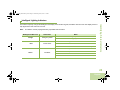
Press < to move one space to the left.
Press > to move one space to the right.
Press the Menu Select button directly below Delete to
delete any unwanted characters.
Advanced Features
7 The top line temporarily displays Please wait while the new
Saving a Waypoint
Press J to add a space.
Press K to toggle between mixed case mode, uppercase
mode, and lowercase mode.
Press L to toggle between numeric and letter mode.
OR
Press the Menu Select button directly below Cancel to
return to the Location main screen.
4 Press the Menu Select button directly below OK once you
are done.
5 The display shows Current loc saved as <waypoint
name>.
85
English