1
OPERATION MANUAL
ENGLISH
Dear SHARP customer
Thank you for your purchase of the SHARP LCD colour TV product. To ensure safety and many years of
trouble-free operation of your product, please read the Important Safety Precautions carefully before
using this product.
ENGLISH
Contents
Introduction
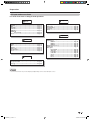
Dear SHARP customer ................................................................................................ 1
Contents ....................................................................................................................... 1
Important Safety Precautions ..................................................................................... 4
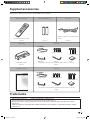
Supplied accessories .................................................................................................. 5
Trademarks .................................................................................................................. 5
Preparation
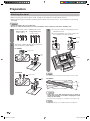
Attaching the stand ..................................................................................................... 6
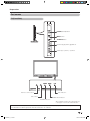
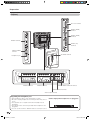
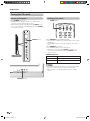
Part names ................................................................................................................... 7
TV (Front/Side) ................................................................................................. 7
TV (Rear) ........................................................................................................... 8
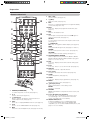
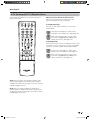
Remote control unit.......................................................................................... 9
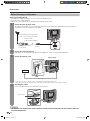
Before turning on the power ..................................................................................... 10
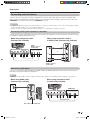
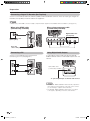
Connecting external devices .................................................................................... 11
Connecting a VCR, game console or camcorder .......................................... 11
Connecting a DVD player ............................................................................... 11
Connecting a Digital TV Decoder (Set Top Box) ........................................... 12
Connecting a PC ............................................................................................ 12
Using Digital Audio Output ............................................................................ 12
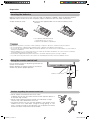
Inserting the batteries ............................................................................................... 13
Using the remote control unit ................................................................................... 13
Cautions regarding the remote control unit ................................................... 13
Turning the TV on/off................................................................................................. 14
Turning on the power ..................................................................................... 14
Turning off the power ..................................................................................... 14
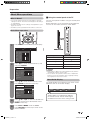
About Menu operations ............................................................................................. 15
What is Menu? ............................................................................................... 15
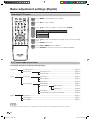
Basic Menu operations .................................................................................. 15
About Guide Display ...................................................................................... 15
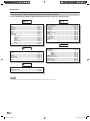
A-TV (Analogue TV)/D-TV (Digital TV)/AV input mode menu items ................ 16
PC input mode menu items ........................................................................... 17
Watching TV
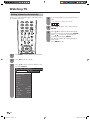
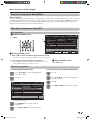
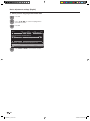
Setting channels automatically ................................................................................ 18
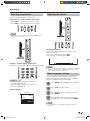
Selecting programmes .............................................................................................. 19
Adjusting the volume ................................................................................................. 19
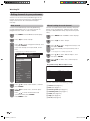
Menu language settings ............................................................................................ 19
Setting channels to your preference........................................................................ 20
Auto search .................................................................................................... 20
Manual setting for each channel .................................................................... 20
Sorting programmes ...................................................................................... 23
Erasing programmes ...................................................................................... 23
Useful viewing functions ........................................................................................... 24
Split-screen viewing ...................................................................................... 24
Returning to the previously selected channel ................................................ 25
Muting the audio temporarily ......................................................................... 25
Outputting only audio..................................................................................... 25
Switching the analogue audio format ............................................................ 26
1
42D65H_en_a.indd 1
11/25/08 10:32:29 AM